

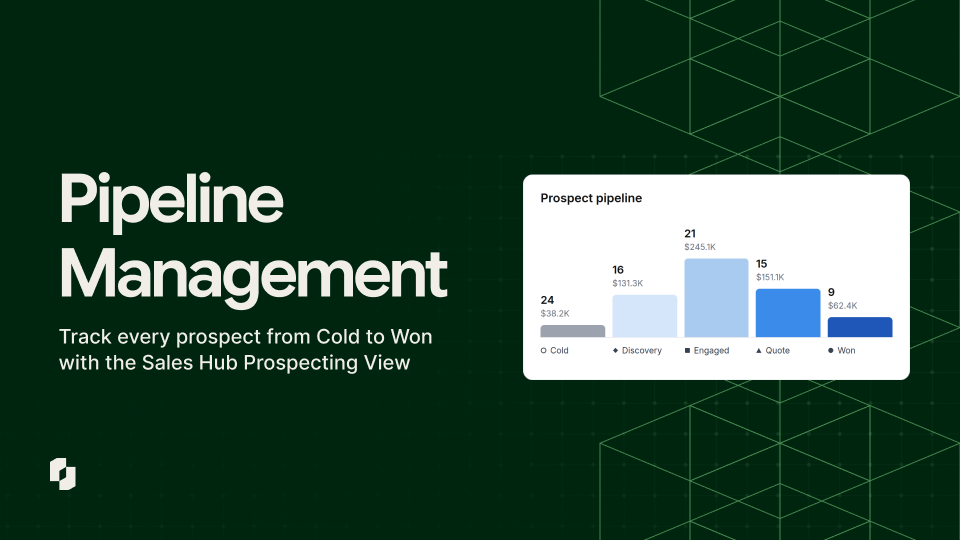


Managing a sales pipeline at a distributor can feel impossible. Most distribution selling happens in person, on the route and at the customer's door, while traditional SaaS CRMs were built for frequent digital touchpoints. Distribution-specific sales tools should fill that gap, but they're often clunky enough that reps work around them.
Sales Hub now fills the Pipeline gap by providing end-to-end pipeline coverage for distributors. Serving as both a standalone pipeline management tool as well as the place their reps build order guides and manage accounts, sales managers can get a forecast they can plan around, so no deal goes cold unnoticed.
I’d like to walk through how Sales Hub can serve as a single tool that combines point solutions for sales teams - both how managers use it to forecast pipeline as well as how sales reps use it to stay on top of day-to-day activities.
A Pipeline Managers Can Plan Around
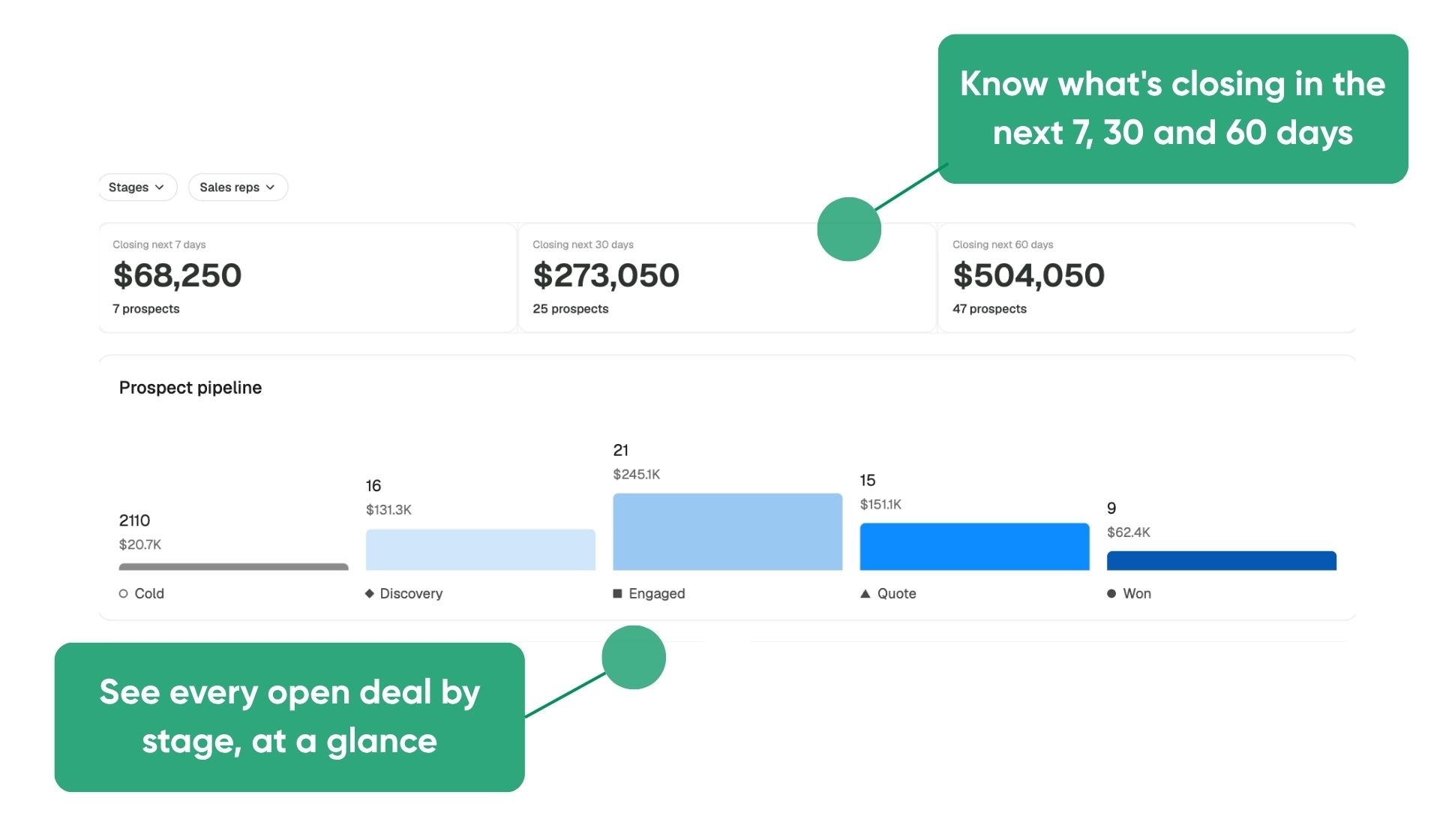
For sales managers, the new “Prospects” tab replaces the weekly scramble for updates with a live view of the whole team's pipeline. The team view opens on forecast tiles that show which deals are expected to close in the next 7, 30 and 60 days. Below them, a pipeline chart breaks every open prospect down by stage, and it can be filtered to a single rep when a manager wants a closer look.
Every prospect across the team lives in one table, searchable by name and filterable by stage or rep. A rep metrics table sits alongside it and shows each rep's pipeline value, conversion rate, notes logged and average time to close, for the week, month or year to date. Coaching conversations can start from real numbers, with no need to piece things together from memory.
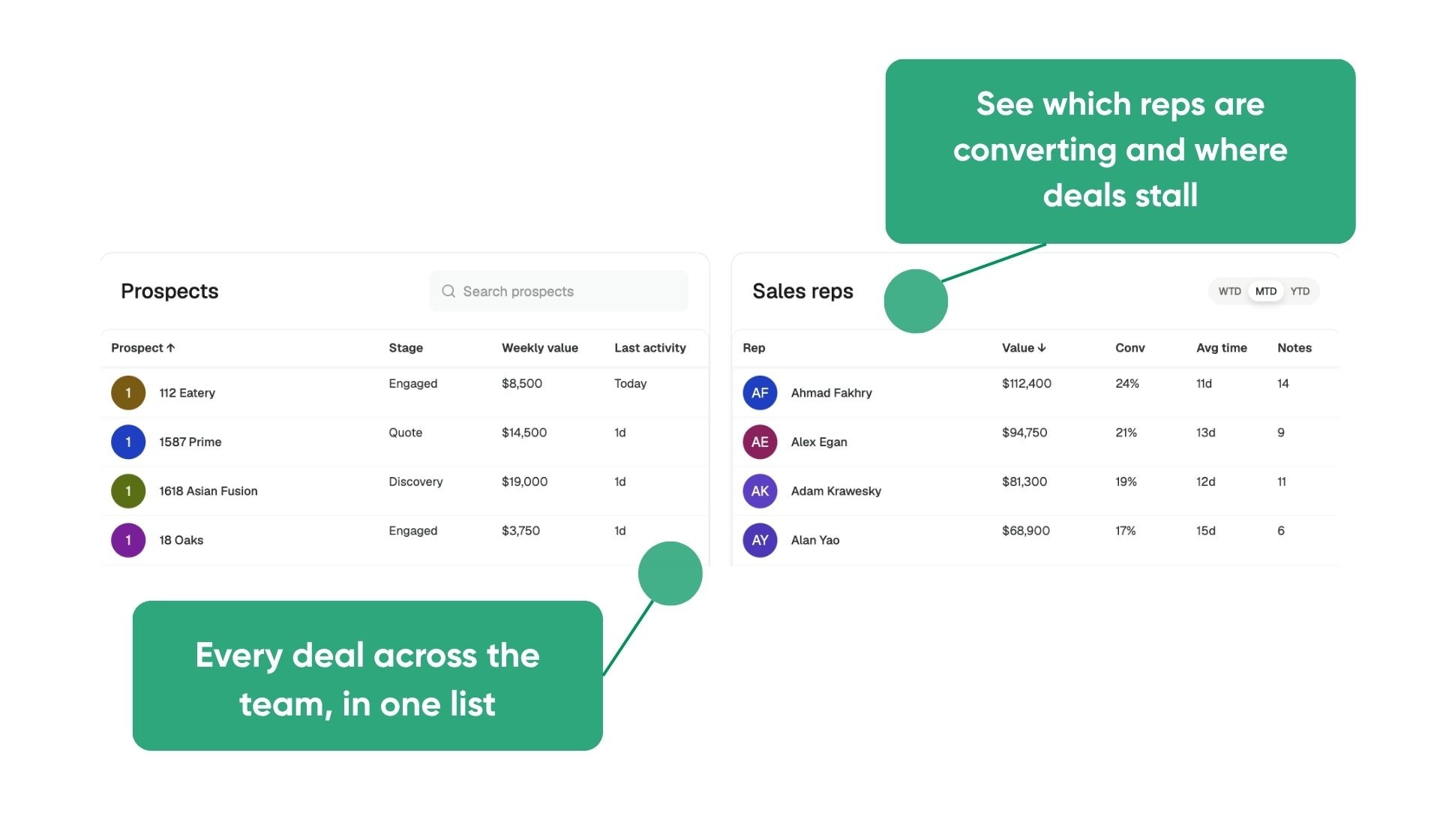
None of this depends on reps filing reports. The forecast comes straight from the close dates and weekly values reps enter as they work each deal, so managers can see what's closing without collecting updates from each rep.
A Page for Every Prospect
For reps, every prospect gets a single page that holds everything needed to move the deal forward. Stages follow the way a new account actually develops, from Cold to Discovery, Engaged, Quote and Won, and a rep can change the stage in one click from the top of the page.
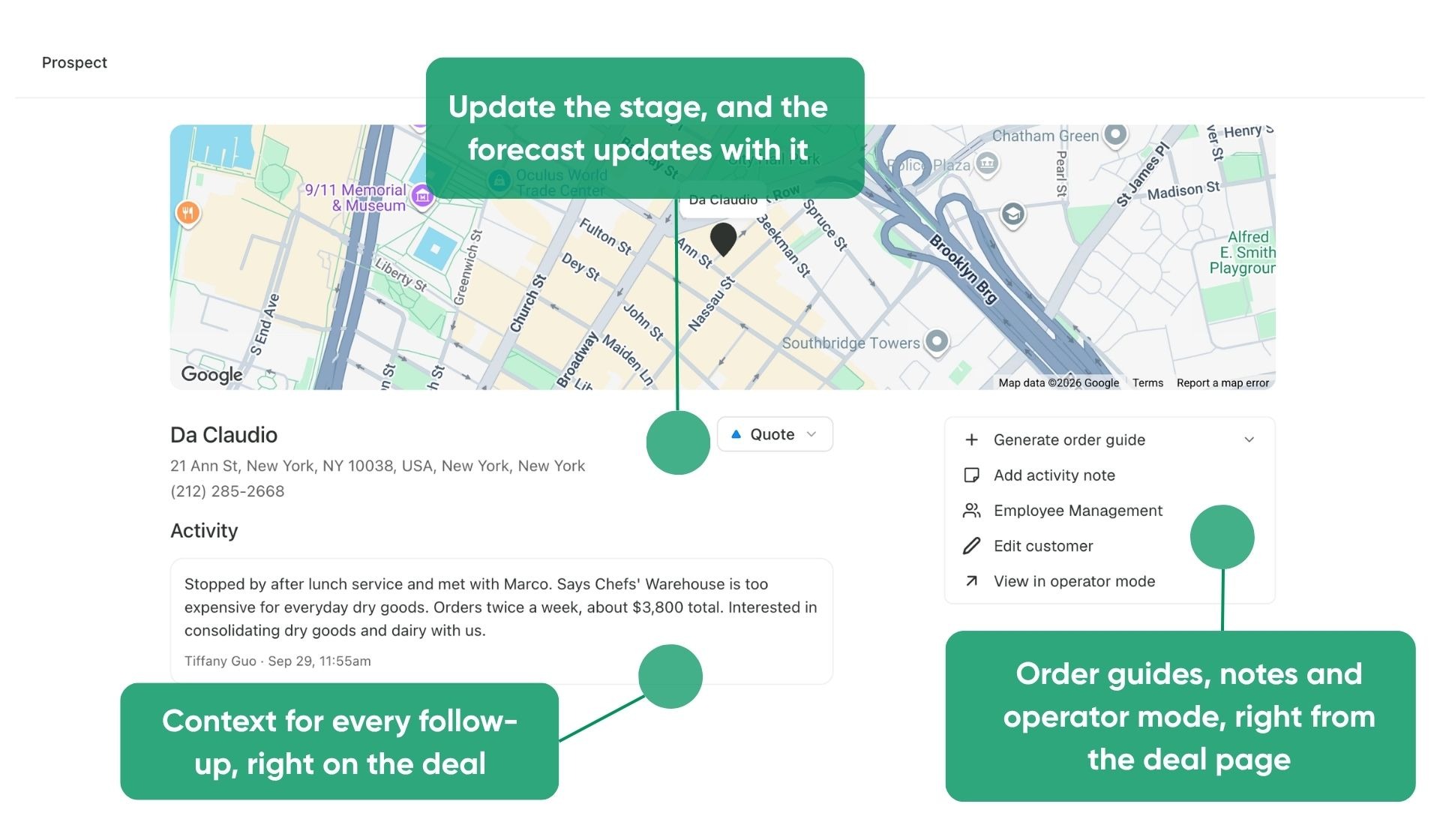
The Quick Actions card keeps the most common next steps close at hand. Reps can generate a starter order guide from a customer's online menu or an uploaded photo or PDF, update customer details, or switch to operator mode to show a prospect exactly what ordering would look like.
Each prospect's details panel holds contacts, competitors, an estimated close date and an estimated weekly value, and those last two fields feed the manager's forecast directly. The Find new prospects button links straight to Prospect Finder, so reps can build their list and work it in the same place.
Every Follow-Up, on Time
Notes keep a deal moving between visits. After every call or visit, reps log an activity note on the prospect's page, where it stays attached to the deal with the rep's name and a timestamp. Anyone on the team can open a prospect and pick up where the last conversation left off, whether that's a follow-up the next day or an account changing hands months later.
Reminders make sure those follow-ups happen. And when a prospect goes 30 days without activity, Prospects flags it automatically.
Say a prospect has gone quiet for a month and gets flagged. The last note on the page shows the account was waiting on pricing, so the rep sends a quote that afternoon. Once the stage moves to Quote, the manager's forecast reflects the change without anyone having to report it.
Getting Started with the new Prospects Tab
Prospects is going live in Sales Hub in the coming weeks for Sales Hub Pro customers, and getting started takes zero setup. There are no new permissions to configure and nothing to install. Admins and DSMs open the team view to a full pipeline and forecast, and every rep has their own prospect list ready to work from day one. Prospects is available on desktop now.
For more details on how it works under the hood, see our Prospects help article. Existing Sales Hub customers can reach out to their CSM with questions, and distributors new to Pepper can book a demo.


