


Most task management tools on the market are built for in-office project management teams, dragging cards from one column to the next to update their status. But distributor sales are completely different - reps are in the field all day with a hundred accounts in motion, and a generic board has no idea any of those accounts exist. Traditional project management tools can’t keep up with distributor sales teams, and the result is teams tracking accounts and follow ups in an excel sheet, with sales managers unable to answer the question: “what did your reps do today?”.
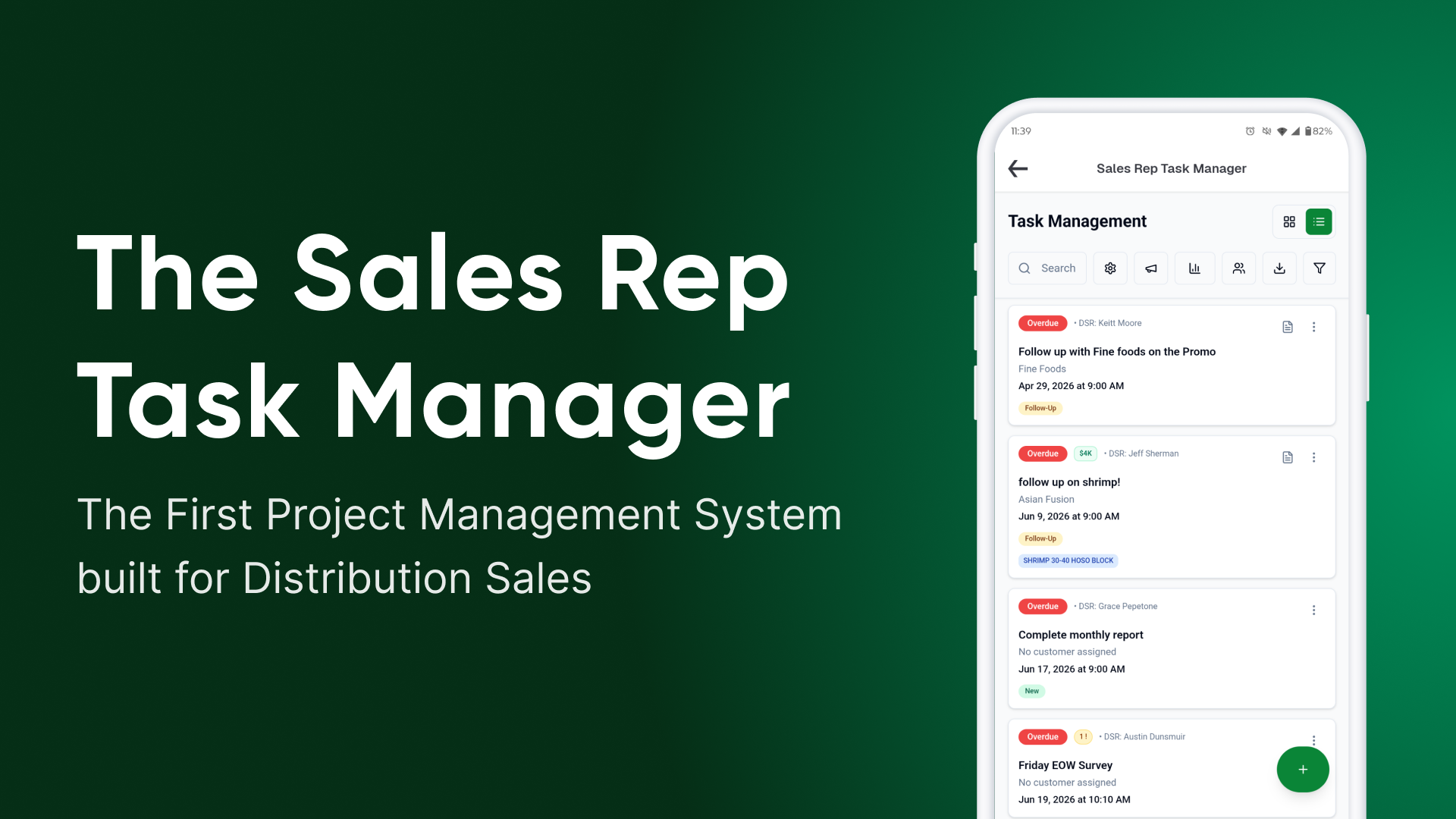
That’s why we’re introducing the Sales Rep Task Manager, the first project management tool made for distribution sales. Built around reps in the field, where every task is tied to a customer and carries a value and a priority, reps can now work their accounts from a phone between stops, so no account slips off the radar unnoticed.
Here is how the best distributor sales teams put it to work.

360 Degree View: Run The Whole Field from a Single Board
A distributor sales manager is managing coverage, tracking who is hitting which accounts, what got promised, what is overdue, and who needs backup. The Sales Rep Task Manager puts that whole picture on a single board, where a manager assigns work to a rep, ties it to a customer, sets a due date and a priority, and sees what is moving and what is stuck.
And because no two distributors sell the same way, the board bends to fit. Statuses, columns, priorities, and labels are yours to shape, so a produce house and a broadline distributor are not jammed into the same rigid template. Build the board around how your team already sells.
Field-First Design: Take it into the field with your list and your camera
Reps are in the truck, in the walk-in, on a restaurant floor at 7am. Task Manager also lives where reps already are: surfaced in the external-links section of their Pepper app for quick, mobile-friendly access. A rep can pull up their list between stops, check off the visit they just finished, and see what is next, all from their phone.
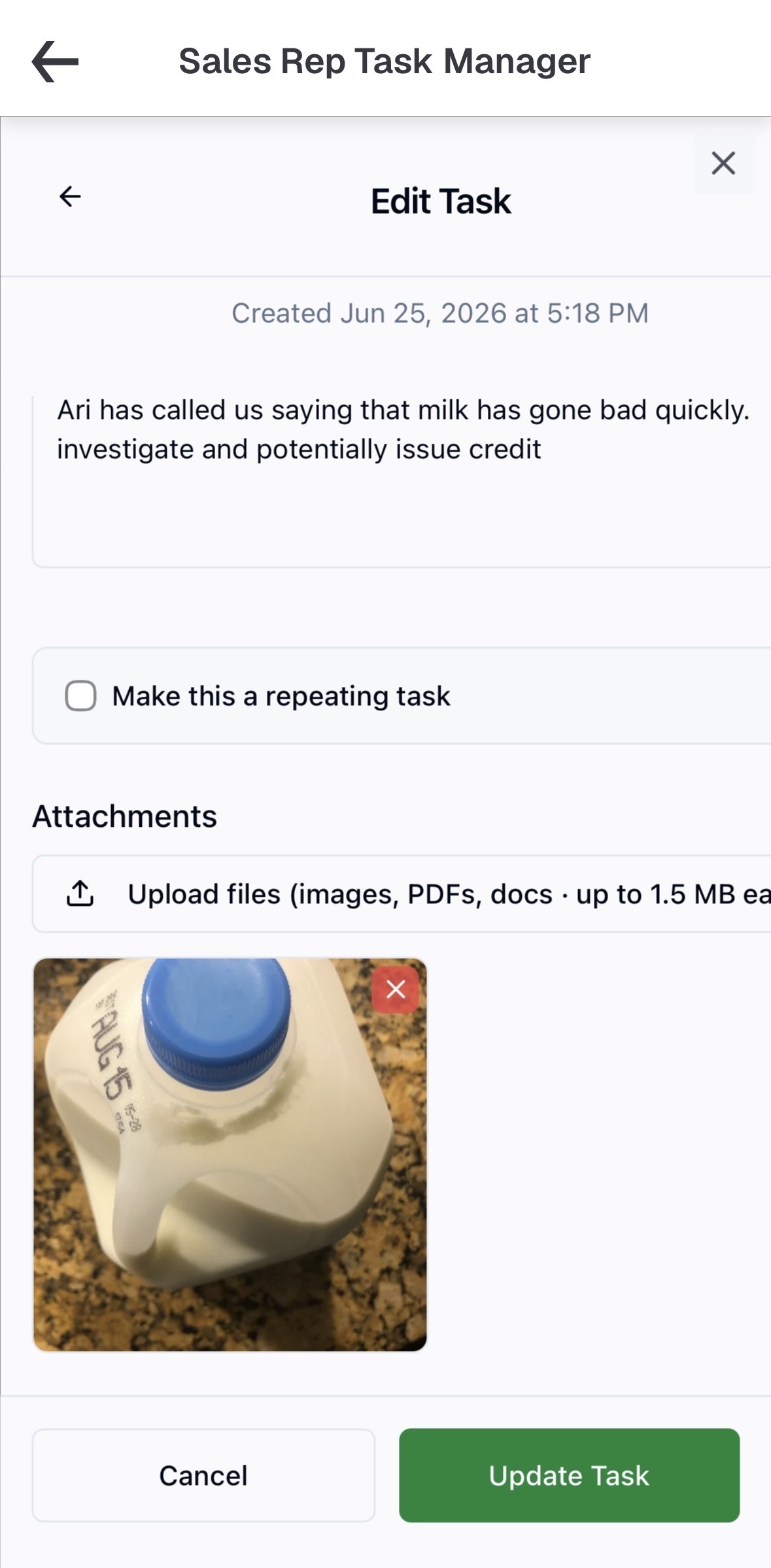
And once it is in their pocket, the camera comes out. Attaching a photo to a task is the one power-feature reps reach for more than any other: a snapshot of a slow-moving shelf, a delivery that came in wrong, a handwritten order scrawled on a prep sheet, or a merchandising win worth showing the team. The task effectively becomes a record of what actually happened on the visit, with the proof attached.
Staying on the Account: Never Let a Follow-up Slip
Follow-ups are quiet, owed, and easy to lose in the shuffle of a busy week. A promise to circle back on Tuesday is gone by Thursday, and even the best reps drop a few.
The Task Manager turns that mental load into a tracked queue. Every follow-up becomes a task tied to the account it belongs to, with a due date and a priority, so it carries its own context. When the date comes up, the task resurfaces as a reminder on the rep's phone, right where they already work. And nothing slips silently: a follow-up that goes past due surfaces to the manager, who can nudge the rep, reassign it, or push the date with a reason instead of letting it quietly vanish.
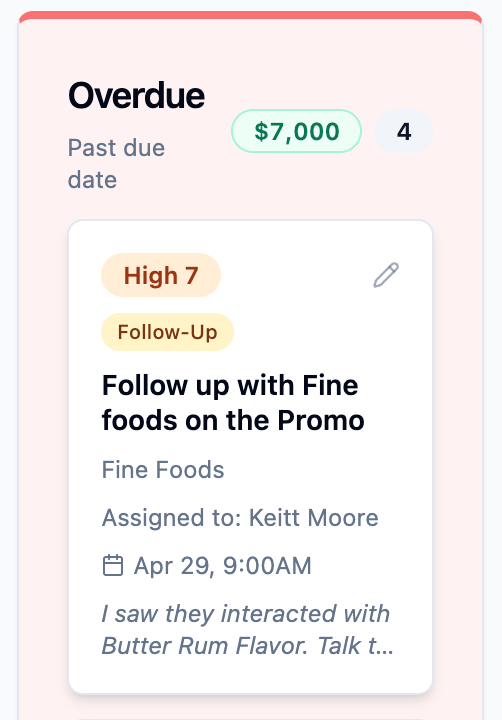
Following up is one of the most common reasons a task lands on the board, but on the board, it gets done. Anywhere else, it is one busy day from disappearing.
Prioritize Everything: Sorting Hundreds of Accounts by Revenue Potential
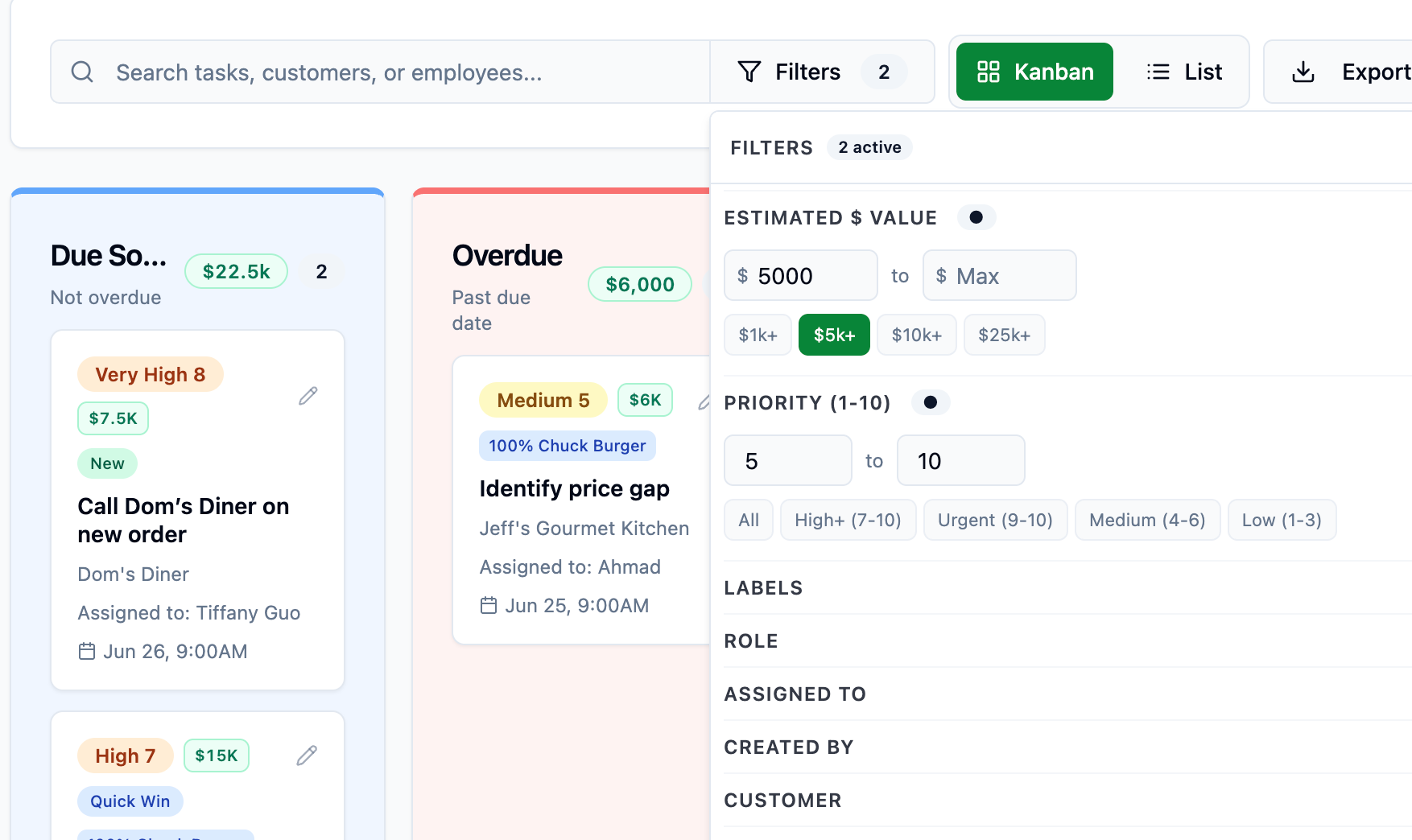
A task list tells you what to do, but not what matters most. So teams are assigning the dollar value to a task, the expected lift from an upsell, the size of a new account in play, making the board double as a lightweight read on what is actually at stake this week. Every task also carries a priority from 1 to 10, so the most important, valuable work sorts to the top instead of getting buried under whatever was added last.
Picture it:The upsell at Dockside is worth a few thousand a month, while the new account at Harbor Grill could be a full order guide and the win-back at Westside has a number on it too. Suddenly the day's to-do list is not just a checklist, it is a ranked view of where a rep's hours pay off most, and a manager can see at a glance which open work actually moves the number. The same board that keeps the team organized starts to look a lot like a pipeline they can act on.
Putting it in Your Workflow
No two distributor sales teams run the same way, and the Task Manager is built to fit yours, not to bend your floor around a project-management tool made for a desk job. It just gives the real work, the relationships, the timing, the follow-through, one place to live.
Read more about the Task Manager Here.
.png)