March 3, 2026
February 2026
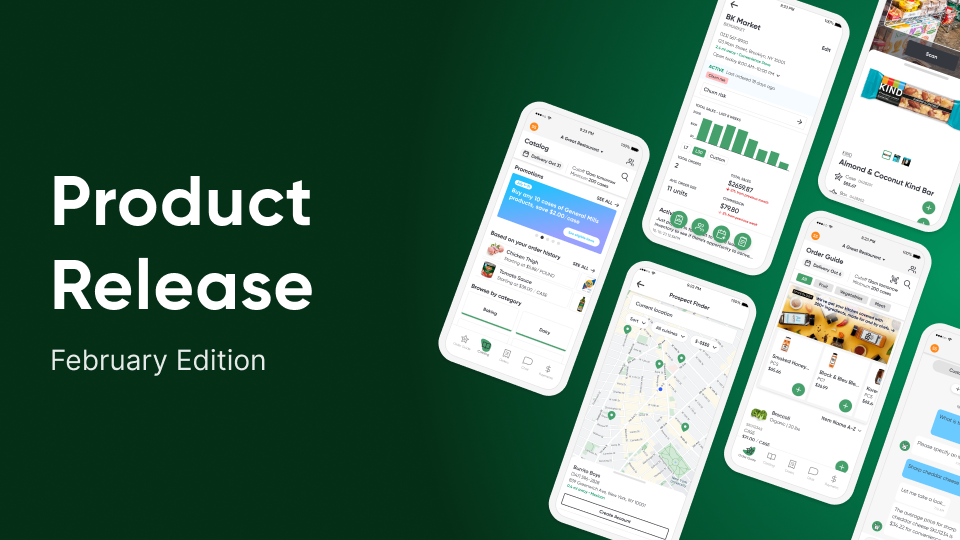
In this edition: Branded card and loyalty programs, sales rep order entry, in-person payment terminals, and ERP integrations demystified.
Branded Card and Loyalty Programs
Stronger cash flow, better incentives, deeper customer relationships.
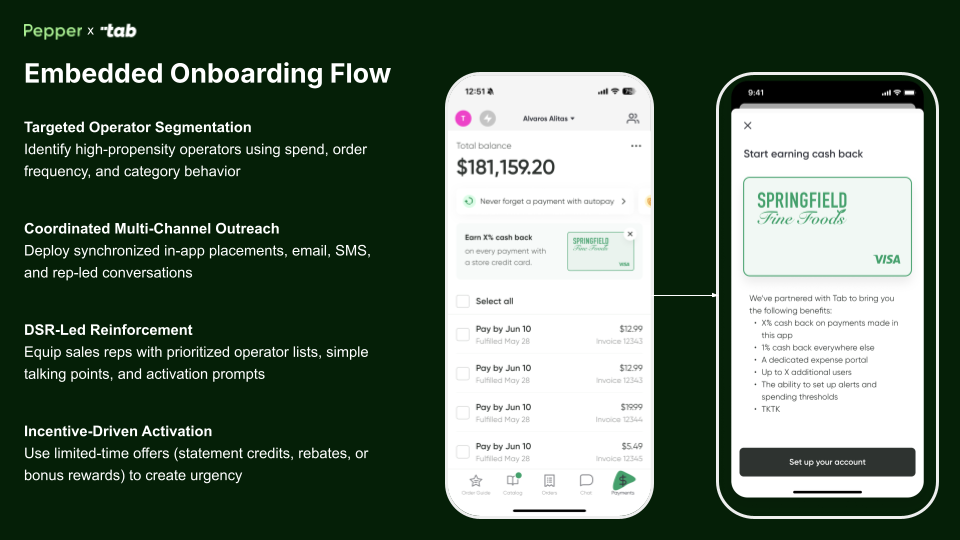
Pepper has partnered with Tab to bring distributor-branded credit cards and loyalty programs into Finance Hub. Operators can use branded cards to pay invoices, and distributors can offer targeted cashback and rebates. The goal: better cash flow, more repeat purchasing, and stronger customer relationships.
Availability
Branded card and loyalty programs are FREE and available now for anyone with a Finance Hub subscription.
Order Entry Built for Sales Reps
Faster order creation, designed for high-volume reps
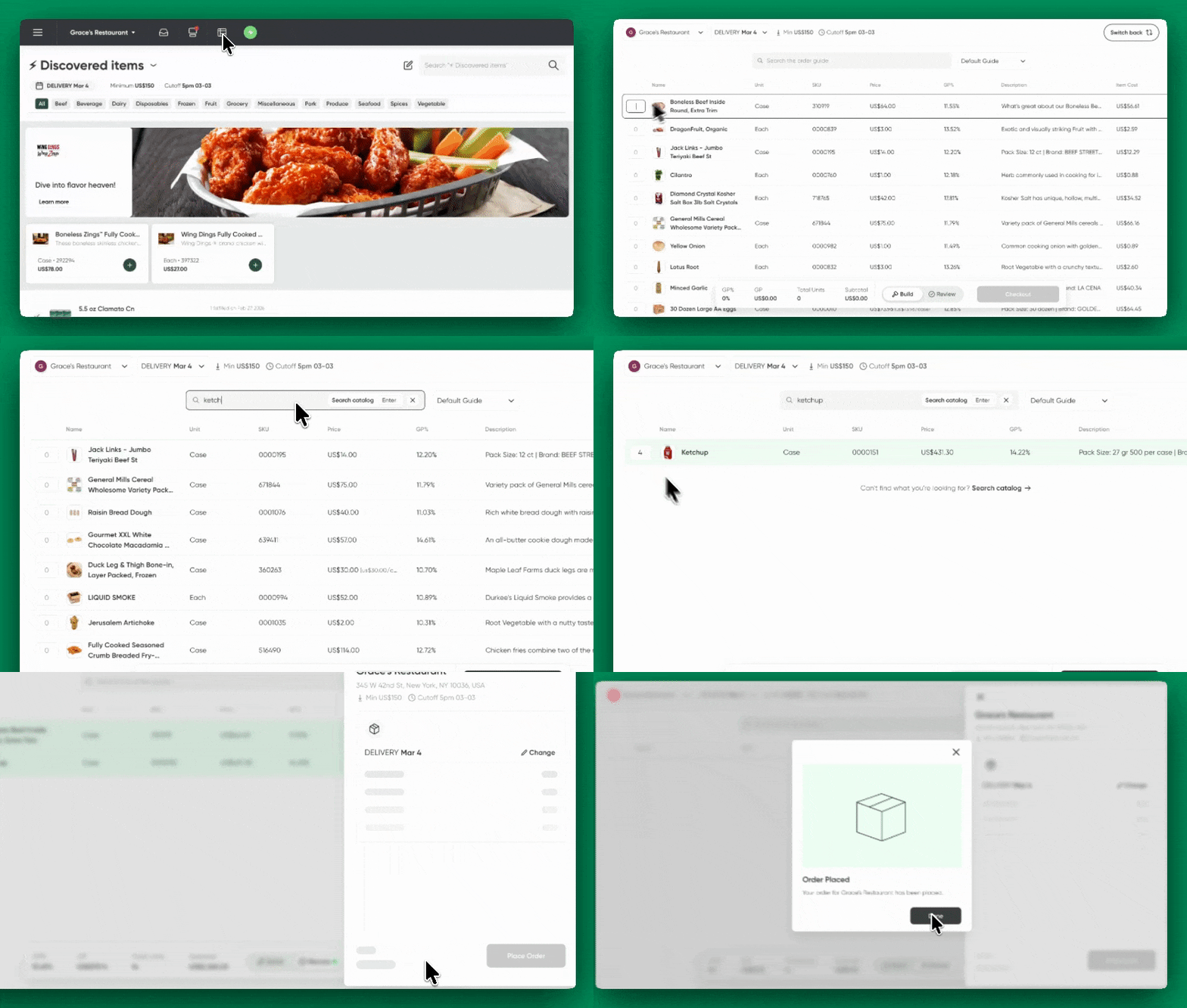
New to Sales Hub, the Sales Rep Order Entry page is built to help reps fly through orders with less friction. It keeps up with rapid cart changes, supports distributor-specific pricing workflows, and shows more items at once. DSRs can spend less time scrolling and more time getting orders in.
Availability
The Order Entry page is currently available to Sales Hub Pro and Enterprise customers upon request.
Physical Terminals for On-the-spot Payments
Take in-person card payments and close invoices faster.
Pepper supports in-person card payments using payment terminals, built for situations where payment needs to happen on the spot. Customer selection, invoice management, and terminal checkout all live in a single workflow in PMC, helping teams eliminate manual payment follow-ups and close orders faster.
Availability
The ability to connect payment terminals is available upon request to Finance Hub users. Contact your CS rep if interested!
Item Connections That Guide the Next Purchase
Turn product pages into guided buying experiences.
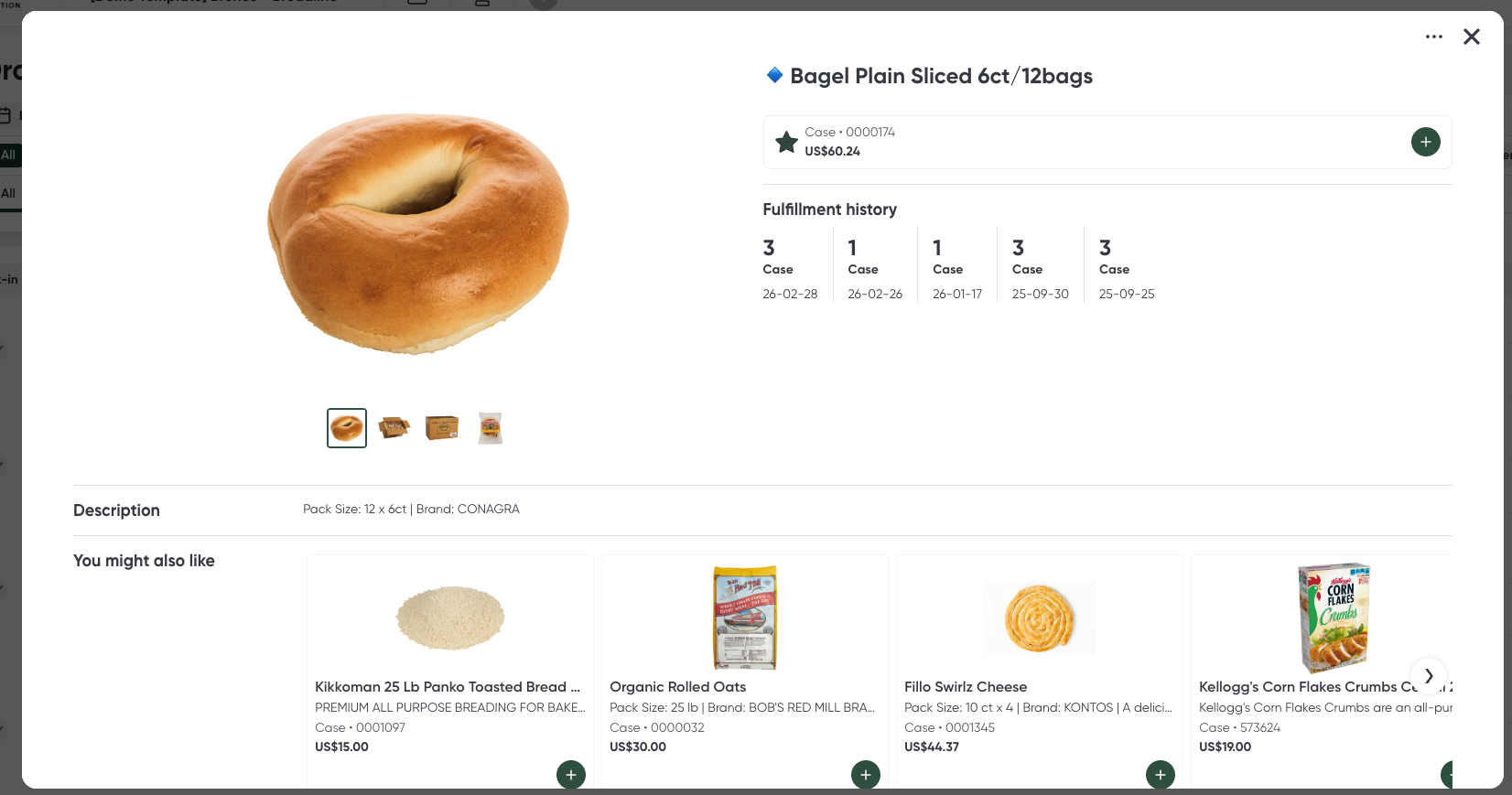
The new Item Connections tool gives distributors a self-serve way to control what shows up as Similar Items and Recommended Items directly on item cards. Similar Items let teams choose direct substitutes or alternatives for a product, while Recommended Items highlight complementary items that pair well or are commonly purchased together.
Availability
Item connections is available to anyone with a Storefront subscription.
Instant ERP Sync Clarity
Self-serve visibility into how ERP data flows into Pepper.
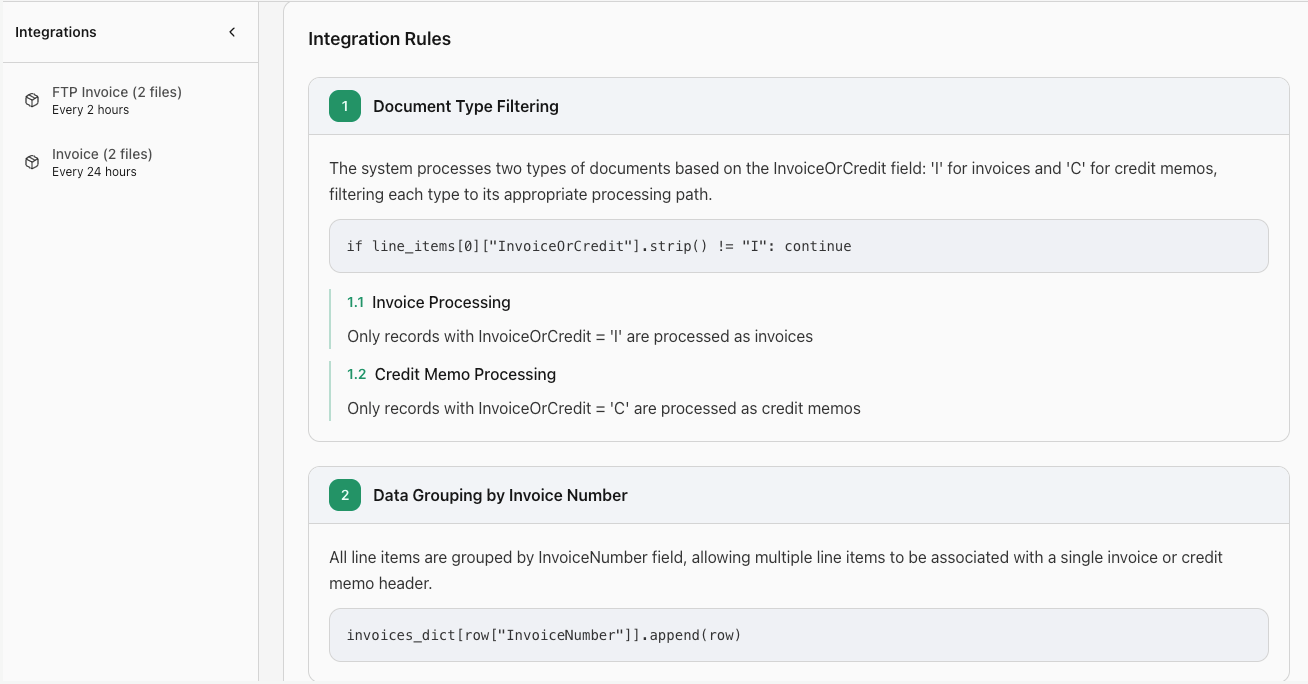
The Integrations Explorer gives distributors a centralized dashboard to understand and monitor ERP → Pepper data flow. Teams can view active integrations, check sync frequency and status, review run history, and see AI-generated explanations that translate technical integration logic into plain language.
Availability
The Integration Explorer is available for all customers with access to their admin center - go check it out!
User Config for Clearer User Diagnostics
Everything needed to understand a user account at a glance.
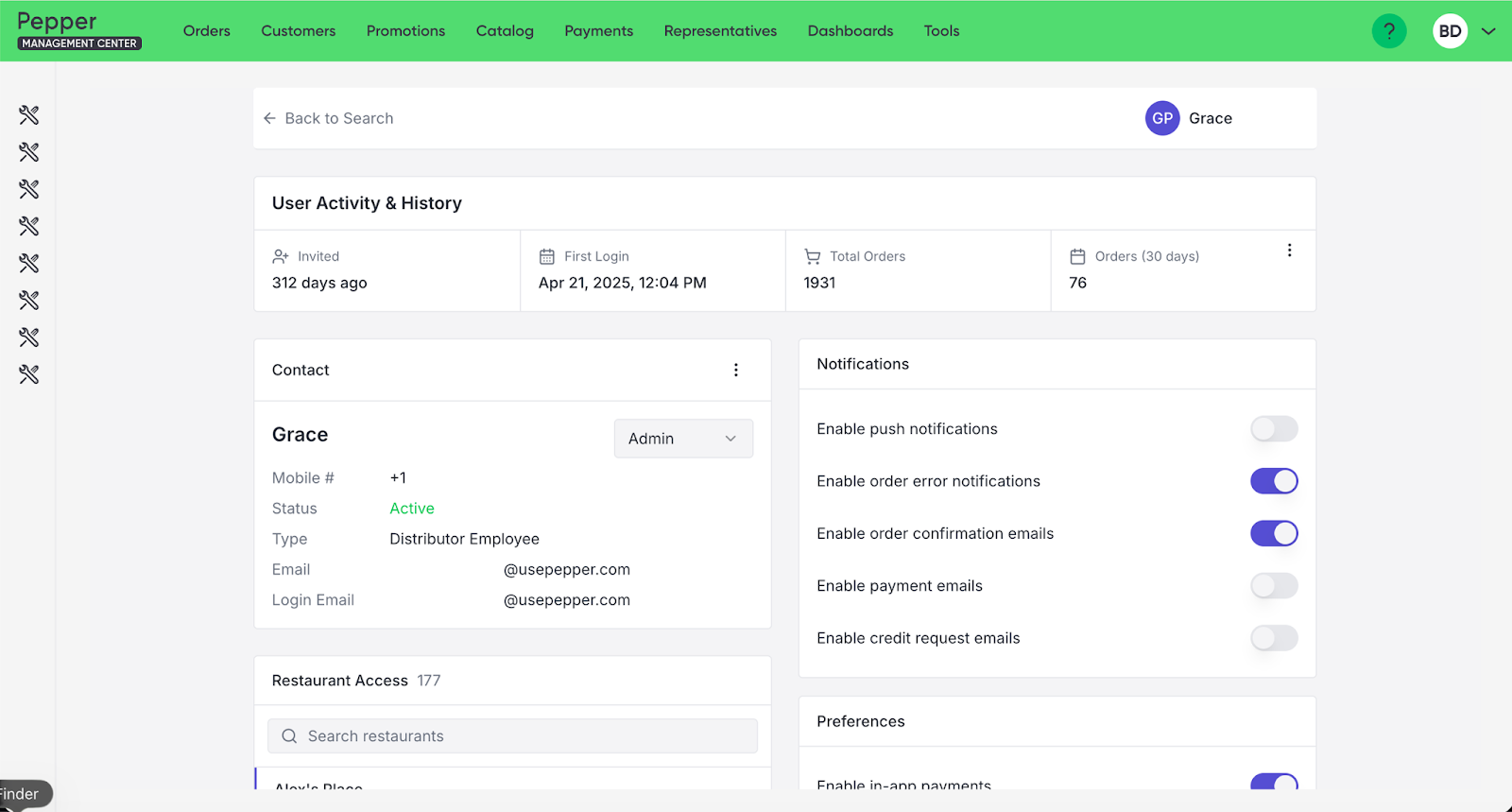
Tired of wondering why an employee can’t view a restaurant account in your app? The User Config is a new admin feature that brings user-level troubleshooting and configuration into one place. Admins can quickly find users, view key account details, and adjust settings in one place - making it simpler to troubleshoot access issues and manage permissions.
Availability
User Config is available for all customers with access to their admin center - go check it out!
AI-Generated Image Tools for Better Product Content
More control over product data and images, right where teams work.
We expanded product content functionality to give teams more flexibility across images and item data:
Image Uploader:
A fast, flexible way to manage product images: add, reorder, and curate exactly how product images show in your catalog. Plus, AI tools help generate new images or enhance existing ones when content needs a quick refresh—useful when you need to fix image gaps fast or refresh outdated visuals.

SALT Explorer:
Through the SALT Collection Explorer, distributors can review suggested SALT matches, accept or reject content, audit what’s already connected, and remove matches when something isn’t right. And when something still looks off, issue reporting is now built in—submit an issue to the SALT team, directly from the Explorer.
Availability
Available now for anyone with a Storefront or Order Agent subscription.
Account Detail: Routes and DSRs
More operational detail, right where Sales teams manage accounts.
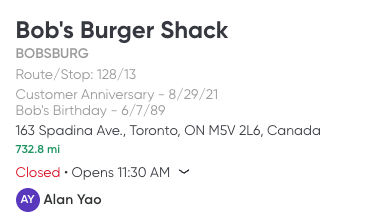
The Account overview now includes additional operational details: users can assign route and stop information to an account and designate a DSR, helping teams manage ownership and keep accounts aligned to delivery and sales workflows.
Availability
Account overview updates are available to all Sales Hub customers.
PAR Sheets That Match Your Order Guide
Printed PAR sheets now match what users see on screen.
Printed PAR Sheets now reflect the exact sort order a user sets in their Order Guide rather than defaulting to Shelf to Sheet, so the on-screen experience and the paper workflow stay perfectly in sync.
Availability
Order guide aligned PAR sheets are available to all Storefront users.