July 3, 2026
June 2026
In this edition: Price Management, a redesigned Sales Hub, and mobile check deposit for collecting in the field.
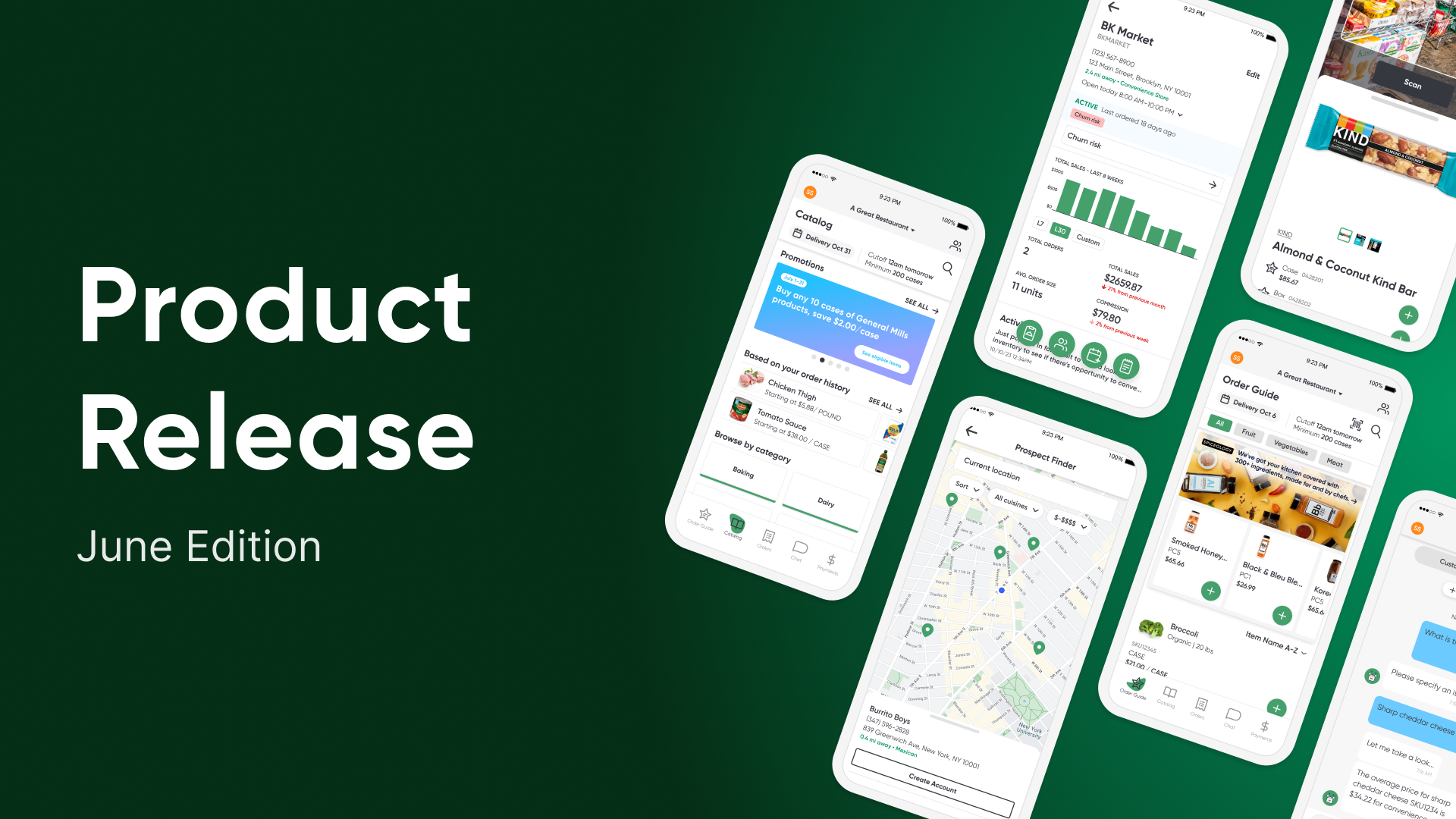
Introducing Price Management
Every rep leaves margin behind, and finding it is the hard part. Price Management does that for you, comparing your pricing item by item and account by account against comparable customers. The gaps surface on their own. If you are selling shrimp to one account at 7% while its peers pay 16%, that gap jumps out, ready to fix in a click.
Price Management is a full workspace for managing margin, not just a place to change a price:
- Cost Changes: every cost that moved this week, ranked by the biggest hit to your margin. Get ahead of it before customers order.
- Peer Range: see how each customer stacks up against its peers, so you know where to push and where to ease off.
- Bulk editing: reprice a whole group of accounts in one move.
- Pricing Agent: it ranks the biggest opportunities and recommends the price. Accept, reject, or adjust. Synced straight to the ERP.
- Impact Dashboard: managers see every change, who is growing margin, and who needs coaching.
Early customers saw the shift right away: 60 to 70% of edits through the tool push margin up, whereas 80 to 90% used to push it down.
Availability
Price Management is a new paid product to the Pepper suite. Most existing Pepper customers can turn it on anytime, with no additional integration work needed. Contact your Pepper account team to get started.
The All-New Sales Hub
Every tool reps need, now in one workspace
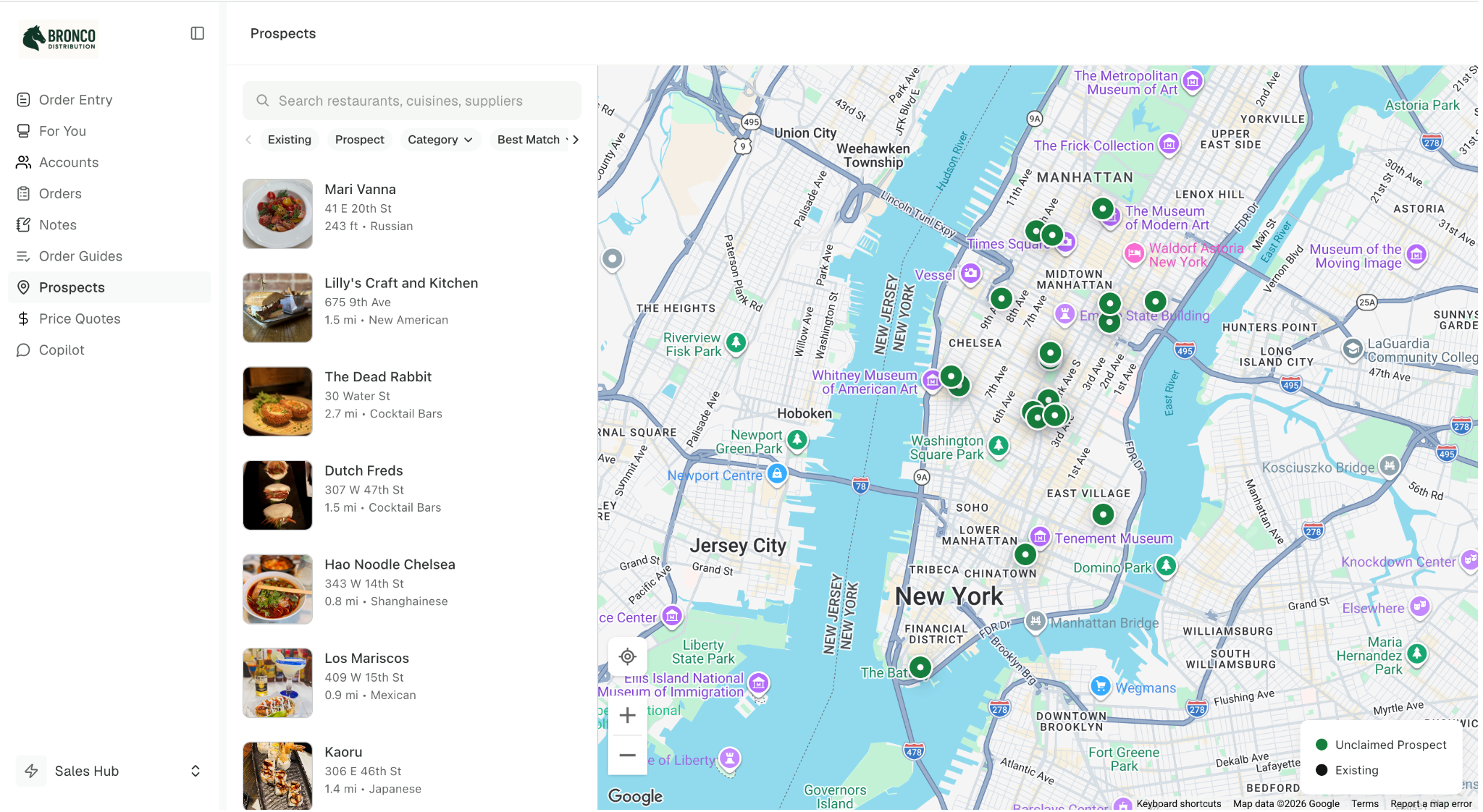
Sales Hub now has dedicated left-navigation tabs in the sales rep portal in a layout built for selling. A rep can move from placing an order to checking an account to following up on a prospect without switching tools.
Added in June:
- Order Entry: Place and edit orders for any account, flowing straight to the ERP. New this month: low-stock items get flagged with the on-hand count as a rep builds the order, so they catch a shortfall before over-ordering.
- For You: the most-used page in Sales Hub, surfacing what needs attention, like a customer who has stopped buying an item they always order or an invoice slipping past due, alongside a weekly sales rollup.
- Accounts: a rep's full book in one place, with key metrics across week, month, and year to date, sales alerts, items of interest, notes, and AR for customers who pay through Pepper.
- Orders: a rep's full order history in one list, whether the order came through Pepper or not, with line detail and the invoice PDF a click away.
- Notes: capture a note on any customer without digging into the account, set reminders that reach a rep's phone, and keep context visible to the whole team.
- Prospects: Prospect Finder, now on the web as well as mobile, so reps can search an area, filter to the businesses they sell to, and plan a week of prospect visits from their desk before working them in the field.
- Price Quotes: build a competitive quote line by line, compare against what the operator pays today and show the savings, and hand the buyer a branded PDF.
- Copilot: ask a question in plain language and get an answer without digging through dashboards. Faster and smarter this month, with more reliable answers across a wider range of questions.
- Order Guides: build and edit any customer's order guide right from the sales portal. Add, remove, reorganize, across every account, in one place. Grouped by section, par levels included.
Availability
The new Sales Hub layout is rolling out to customers with the order entry page enabled.
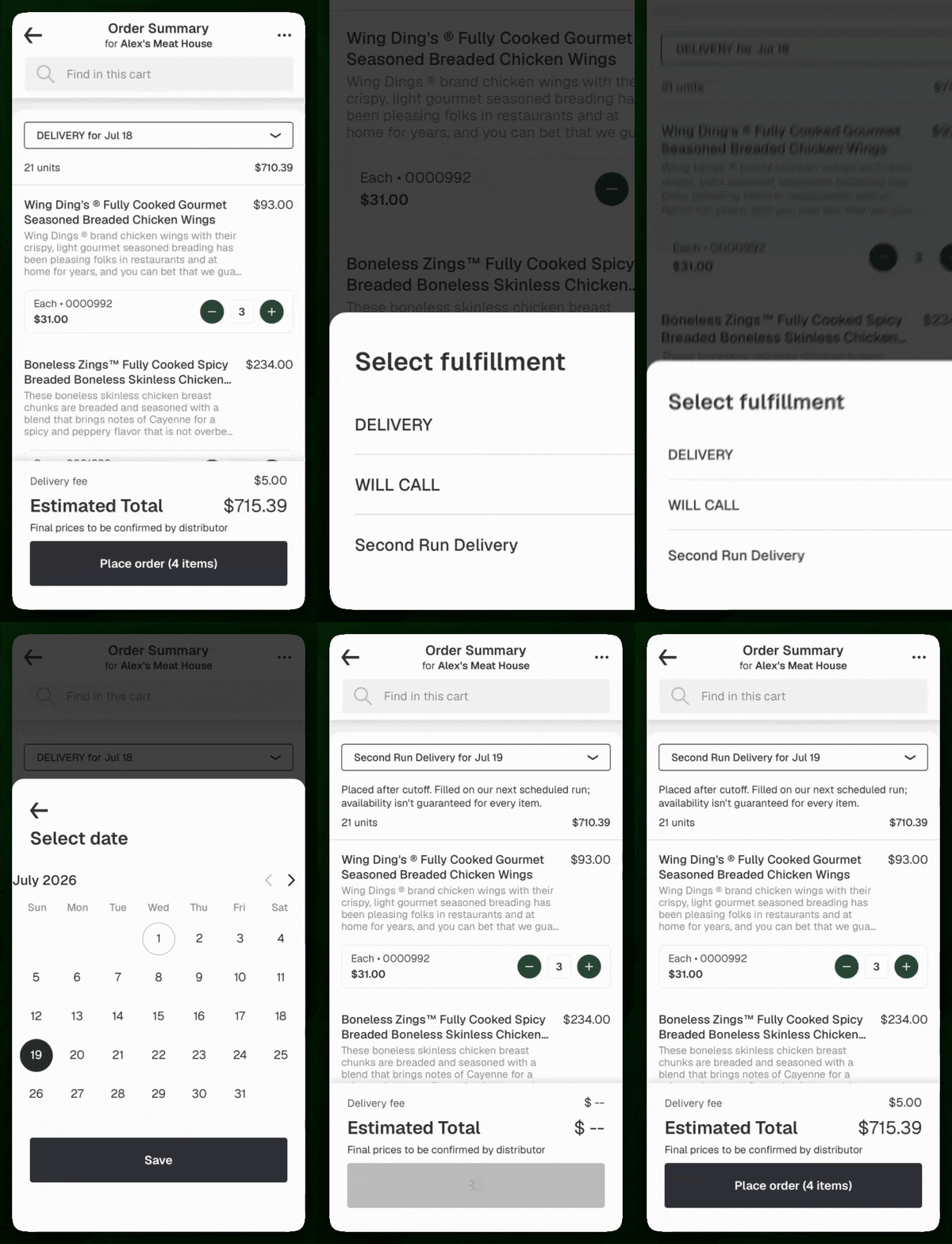
Take Orders After Cutoff
Capture the order instead of losing it, and fill it on a later run
A missed cutoff used to mean a late order. Second Run Delivery makes it a real checkout option: operators order after your cutoff, and you fill it on a scheduled later run. It sits alongside delivery and pickup, unlocks only once the first-run cutoff passes, and moves through your system as a standard delivery, so it routes and exports like any other order. You can add your own checkout note so operators know what to expect on timing.
Deposit Checks and Collect in the Field
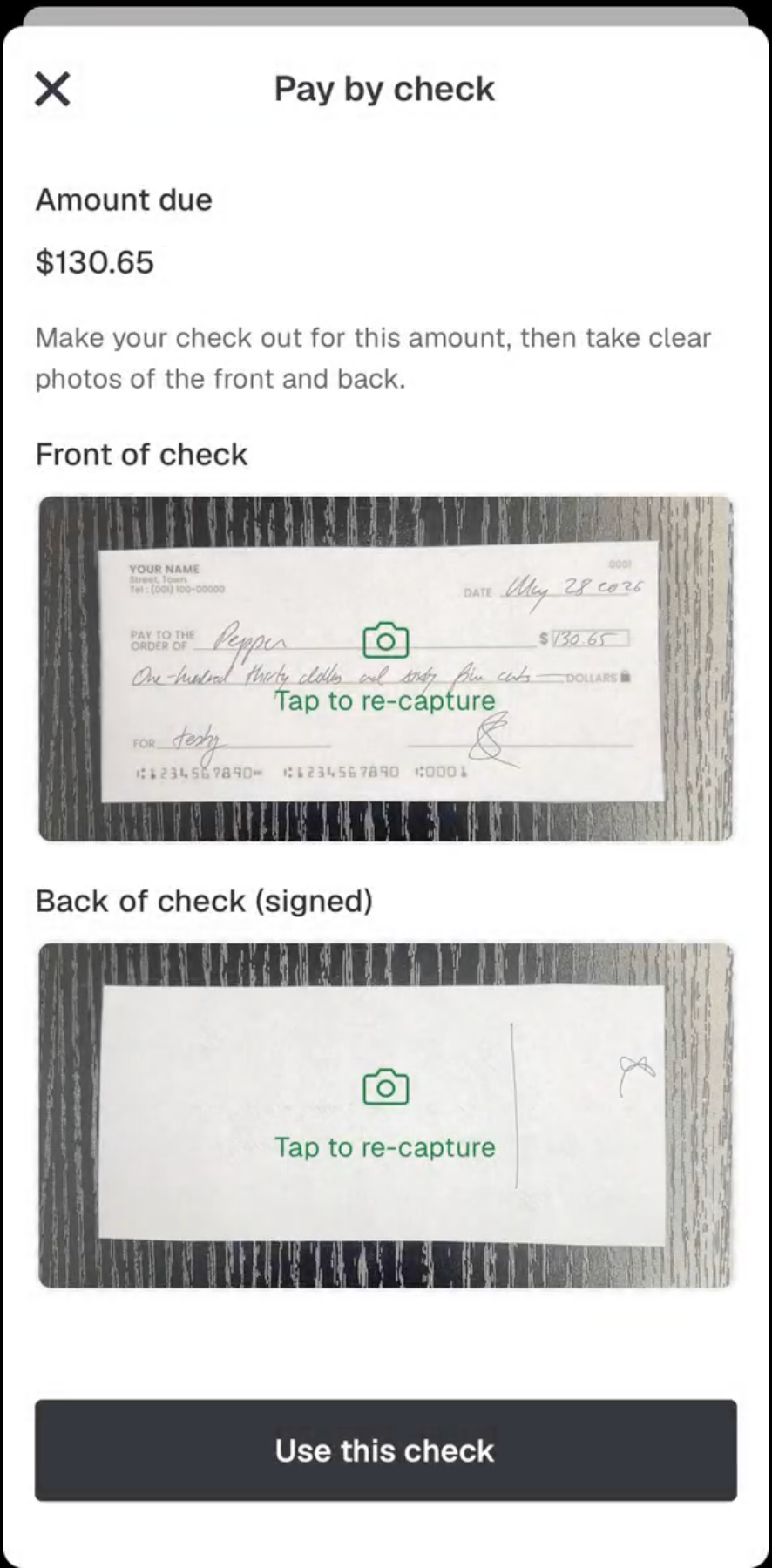
Collecting in the field no longer means a trip back to the office. From the Pepper app, a rep or driver can pull up a customer's open invoices and, from the same screen, either deposit a check by snapping a photo or copy a payment link to share with the operator on the spot. The payment is tied to the invoices the rep selected, so it is captured and closed out without anyone reconciling it by hand later.
Availability
Available to all Finance Hub customers on mobile, with a per-check fee. Contact your Pepper Account team to learn more and turn it on.
Put Autopay Enrollment on Autopilot
The auto-enroll setting in finance hub automatically signs up customers who have a payment method on file but are not yet on autopay, so you can grow autopay adoption without enrolling customers one at a time.
.png)
Always View What's in Each Payment Plan
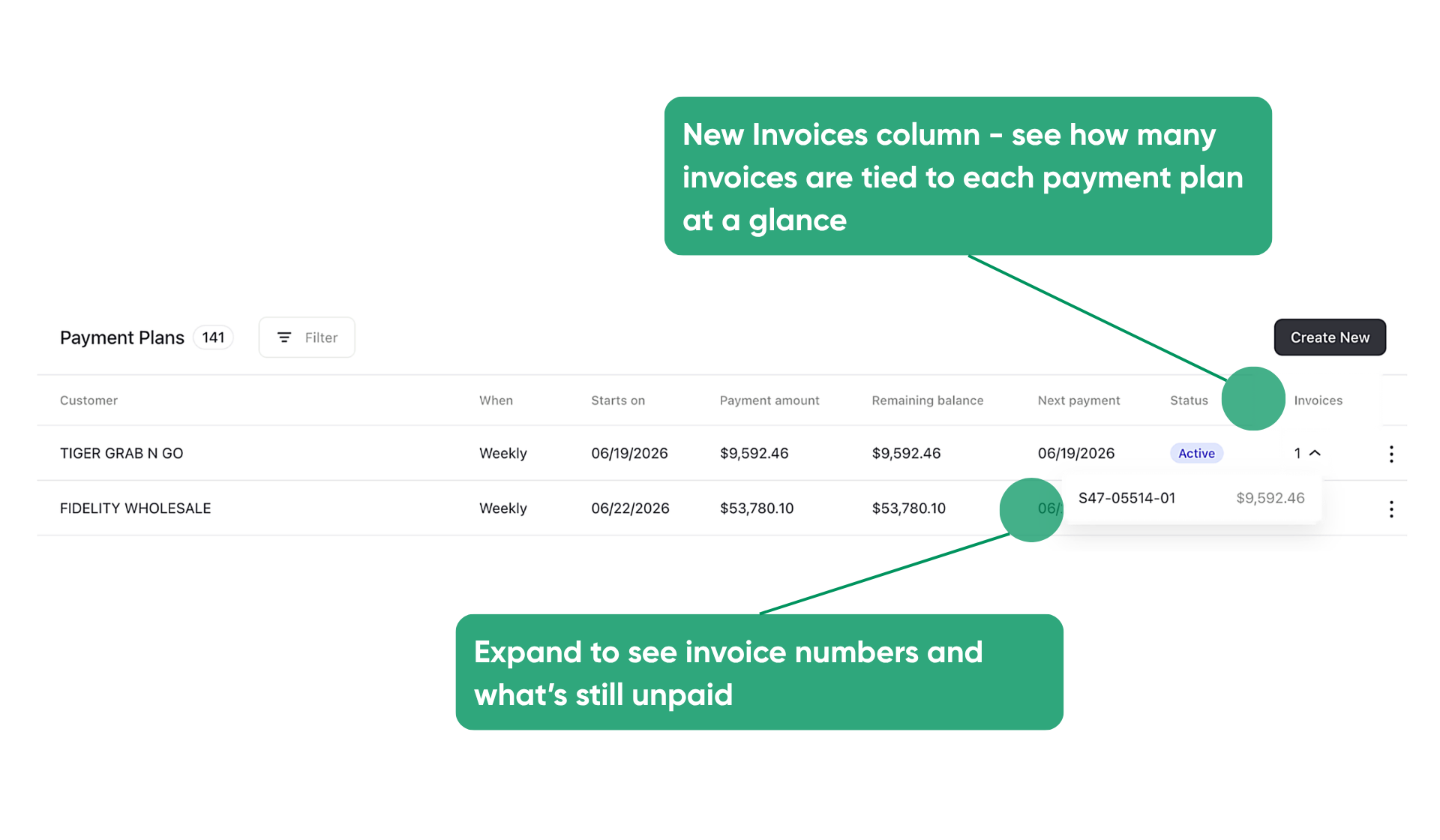
The payment plan table now includes an Invoices column, so a distributor can see how many invoices are tied to each plan without digging elsewhere. Hovering or clicking into the column shows the specific invoice numbers and their current unpaid amounts.
Require Payment Method by Customer
Distributors can now require a payment method on file before a customer places their next order, set per customer from the Customer Preferences panel. The per-customer setting takes precedence over the distributor-wide requirement, so you can enforce it on the accounts that need it without applying it to everyone.
Availability
All Finance Hub enhancements are available for all Finance Hub customers.
Scan Faster, Even on a Weak Connection
Near-instant scans that keep working when the signal drops
Scanning to receive stock or build an order is now much faster. Each scan reads against a copy of your catalog on the device instead of pinging the network every time, so items land near instantly and keep scanning even when the signal drops. No spinner, no waiting mid-cart. Across a full order, those saved seconds pile up.
Availability
Rolling out to select distributors now, with wider availability coming soon.
Set Your Own Pack Order (Storefront)
Display packs in the order that makes sense for your catalog
Distributors can now control the order packs appear in, like "Each", "Case", and "Pallet", across their entire platform. The catalog, item detail, order guide, and search screens are now consistent in the way they promote product, either by updating the whole list or pinning a custom order. Lead with the pack your customers order most and steer buyers toward the packs that make the most sense for your business, so the right choice is the first one they see and there are fewer mis-orders.
Know Who Covers an Account, Right From the Order Email
Order confirmation emails now show the account's assigned sales rep, listed under the address line. When a customer service team fields a question about an order, they can see who covers the account without opening another tool to track down the right rep.
Availability
Available to sales hub distributors with assigned sales reps configured. Contact your Pepper Account team to turn on.