June 1, 2026
May 2026
In this edition: Competitive price quotes for sales reps, holiday delivery overrides, and massive upgrades to finance hub with standalone card reader payments.
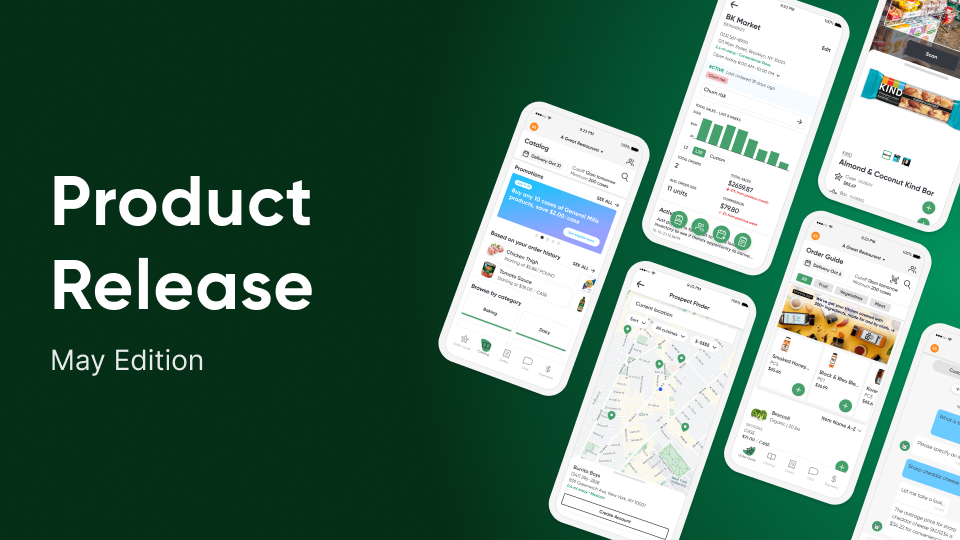
Generate Competitive Price Quotes Directly in Sales Hub
Reps can now build competitive price quotes directly in the sales rep portal in sales hub.
Quotes can feature line-by-line comparisons against any competitor with auto-calculated per-item and total savings, add custom items not yet in the catalog, and export branded PDFs with their contact info or CSVs. Quotes persist, can be duplicated, and are saved to individual user accounts.
Available on web and tablet.
More Power in Sales Rep Order Entry
Three follow-ups to the sales rep order entry experience based on distributor feedback:
- Line item notes: The "Note Requests" functionality from Storefront is now available in order entry and follows the same configuration as Storefront line item notes.
- Brand and pack size columns: New default columns so reps can see brand and pack size at a glance, instead of hunting through item descriptions.
- Per-unit price editing: Reps can now price by the unit or portion (e.g., $5/lb instead of total case), matching the capability that previously existed only in Storefront. Configured at the distributor/supplier level.
Availability
Order entry improvements are available for everyone with Sales Hub order entry enabled.
Open Replacement Delivery Days for Holiday Weeks
Holidays just got easier: Distributors can now configure delivery override dates to open delivery days that wouldn't normally be available during holiday weeks. Each override carries its own cutoff time, lead time, fulfillment type, and an optional label (e.g., "Memorial Day Tuesday").
.png)
No more reworking customer routes in the ERP for holidays, only to revert the next week. Override dates respect item-level fulfillment rules, so an item only available on Tuesday won't suddenly appear on a Friday override.
Availability
Holiday delivery overrides are in early access. Contact your Pepper account team to enable.
Standalone Terminal Payments for on-the-spot payments
Cashiers can now enter an invoice number and amount directly into a card reader and take payment at that time, with no need to pre-select any invoices in PMC. Pepper captures the authorization, creates the payment batch and invoice automatically, and posts it to the ERP. Surcharges still apply based on credit vs. debit funding source.
This dramatically speeds up walk-in and cash-and-carry counter workflows. The cashier does everything on the device without toggling between the admin console and the terminal.
Short Pay and Credit Request Support
Distributors can now choose how partial payments are handled in the app, with three configurable modes:
- No short pay (default): Users pay the full invoice amount, just like today.
- Short pay only: Users can partially pay an invoice by entering the amount they want to pay.
- Short pay with credit request: Users select the specific items they're not paying for, triggering a credit request and partial payment submitted together as one atomic action. If the payment fails, the credit request rolls back.
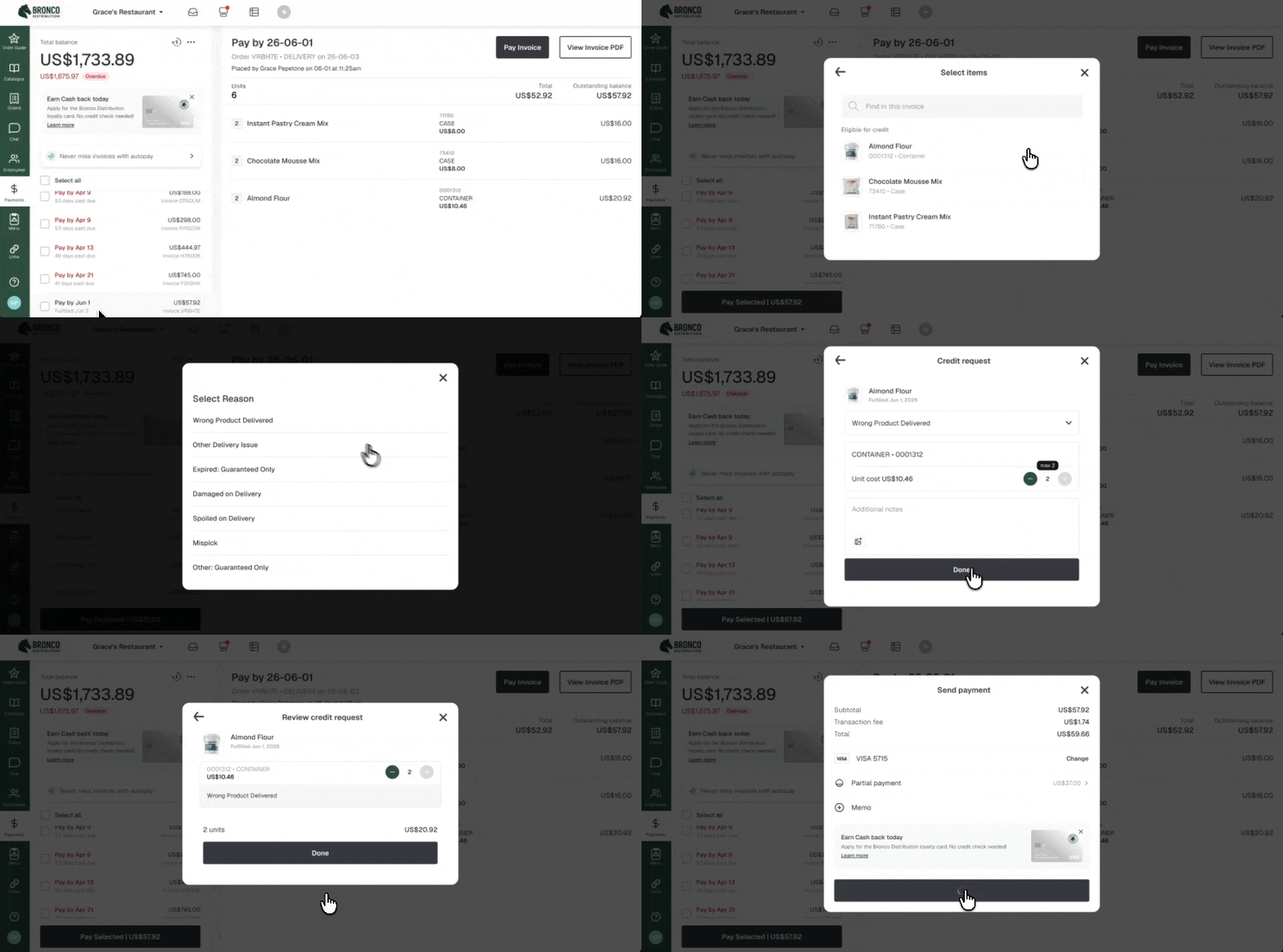
When coupled with standalone payment terminal support, short pay enables drivers and DSRs to collect partial payments on the spot using a mobile card reader. Available on iOS, Android, and Web with a redesigned payment review screen.
Availability
Short pay and card readers are available for all Finance Hub packages.
Self-Serve Payment Groups for Chain Restaurant Payments
Distributors can now create and manage Payment Groups directly in PMC.
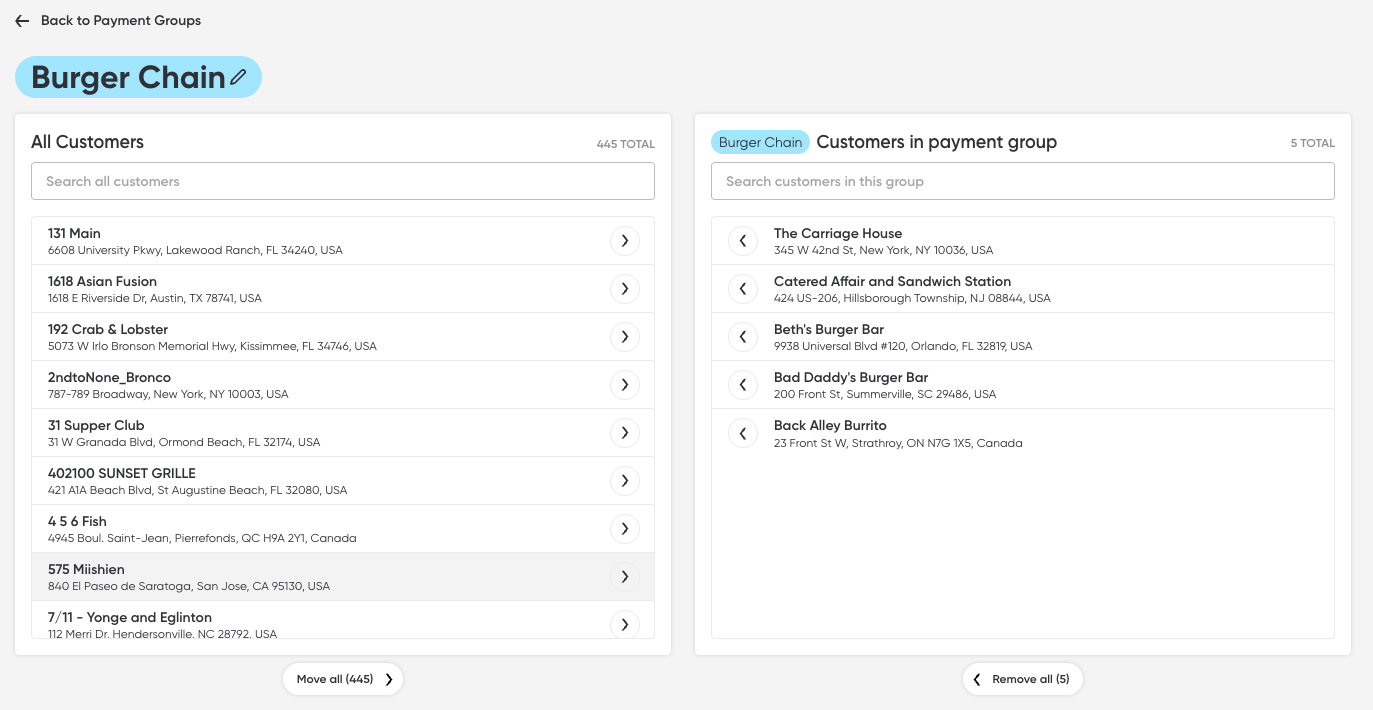
Payment Groups let multiple customers' invoices roll up and be paid together, solving the "restaurant corporation" use case that previously required manual setup by the Payments team. Customers can only belong to one group at a time.
Availability
Payment groups are available for all Finance Hub packages.
Update and Add Item Connections in Bulk
The Item Connections tool now supports bulk updates via CSV upload. Distributors can download a template, populate item IDs, upload the file, and apply connections across their entire catalog in one pass.
.png)
The bulk flow handles multi-pack-size items automatically (apply connections to all pack sizes or choose per-item), flags any connections that would exceed the 6-item limit, and gives distributors the option to merge with existing connections or overwrite them entirely. Bi-directional sync is also available (e.g. if Item A is connected to Item B, Item B automatically connects back to Item A.)
Availability
Item Connections is available for all Storefront packages. Item Substitutions are available for Enterprise packages only.