

Don't Wait on Paperwork
As an independent, getting new customers is hard enough, but many finance and operations teams still have a mountain of paperwork to maintain for new accounts: Every new account starts with a credit application, and most still start on paper. The PDF application goes out, comes back days later without a signature or a W-9, they never check the Docusign to get started, and AR or the sales rep responsible spends the week chasing pages and references. Meanwhile, the restaurant keeps ordering from whoever already has it set up.
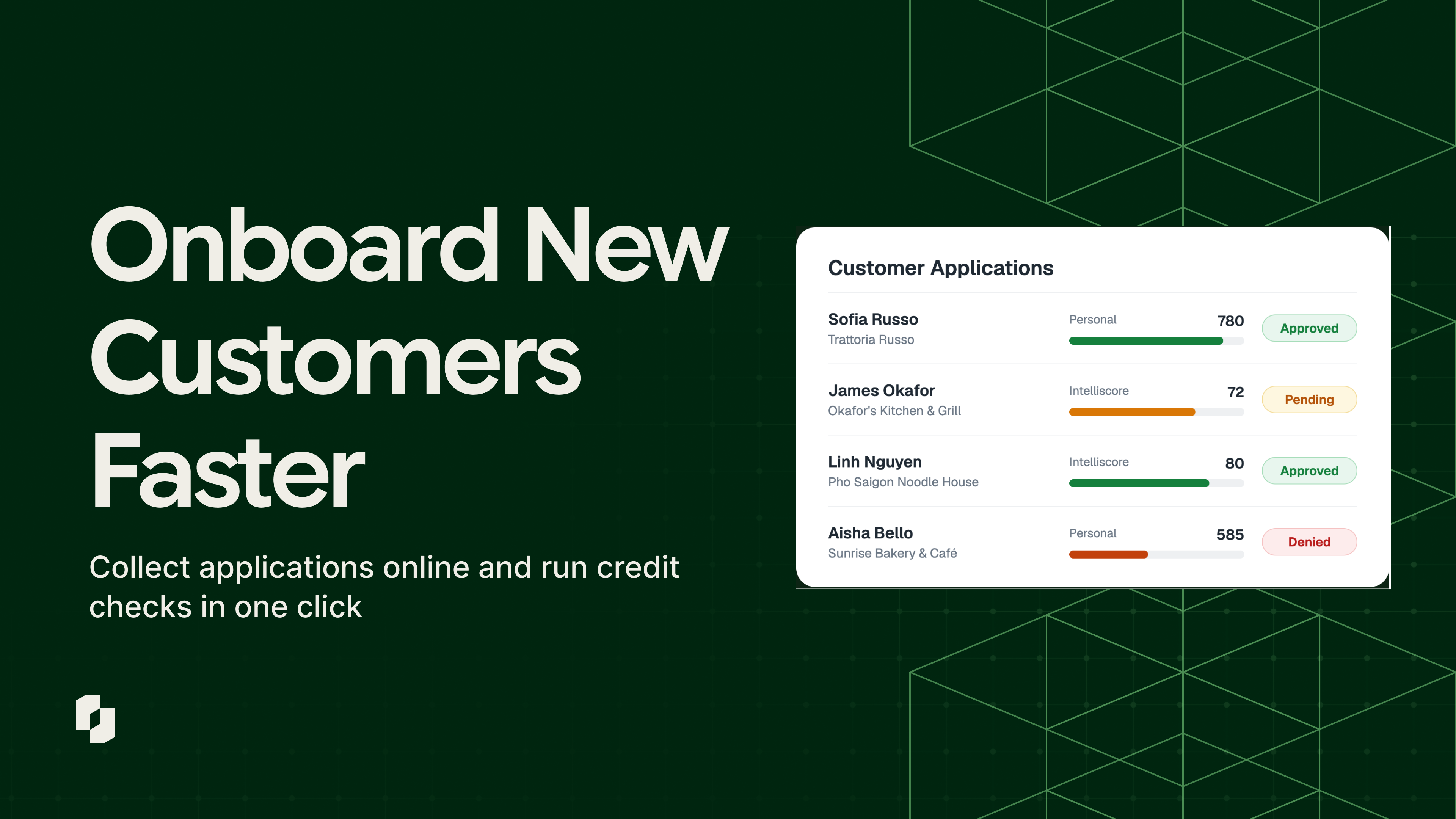
Signing new customers just got easier with Pepper's customer onboarding and credit check workflow. Prospects can now apply online from your ordering platform, AR can pull a credit report with one click, and it's all tracked from a single dashboard. Keep reading to learn more.
What's new
Pepper distributors can now run the whole new-account process in one place: the application, the documents, the credit report and the decision.
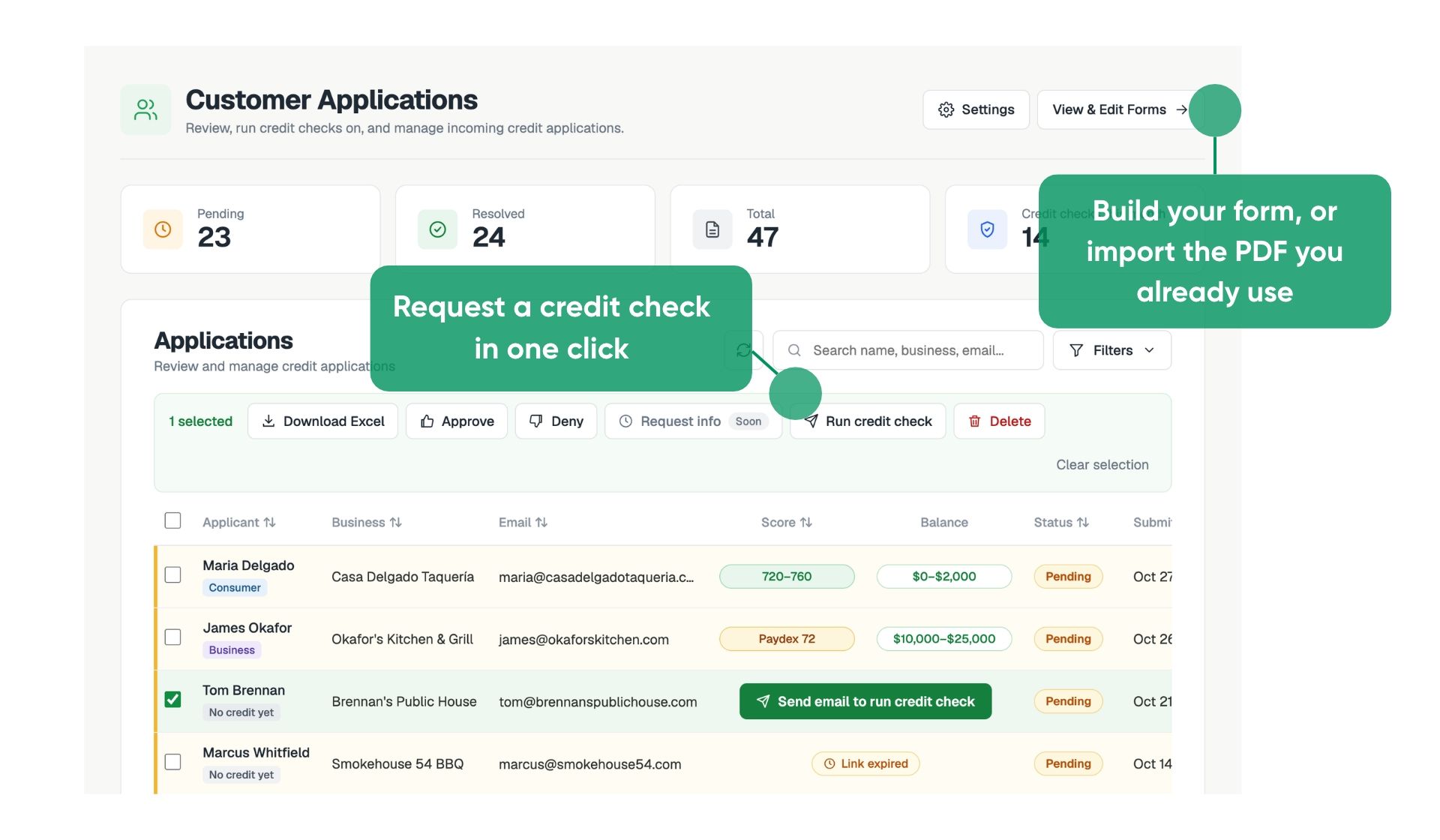
- Your application, now online. Build your form in Pepper, or import the PDF you already use and Pepper drafts the questions for you. Applicants fill it out on any phone or computer, sign it, and attach their W-9, resale certificate or financials. No login needed.
- Credit checks when you want them. Run a business check (an Experian Intelliscore report, based on EIN) or a personal check (a TransUnion report on the owner). Learn the business risk rating, Intelliscore, derogatories, the main score factors, with the full report a click away. Note: Credit checks available in U.S. only.
- One place to decision. Approve or deny from a single dashboard, one application at a time or in bulk. Pepper can email the applicant the decision for you.
How it works for your team
Put the application where prospects already look
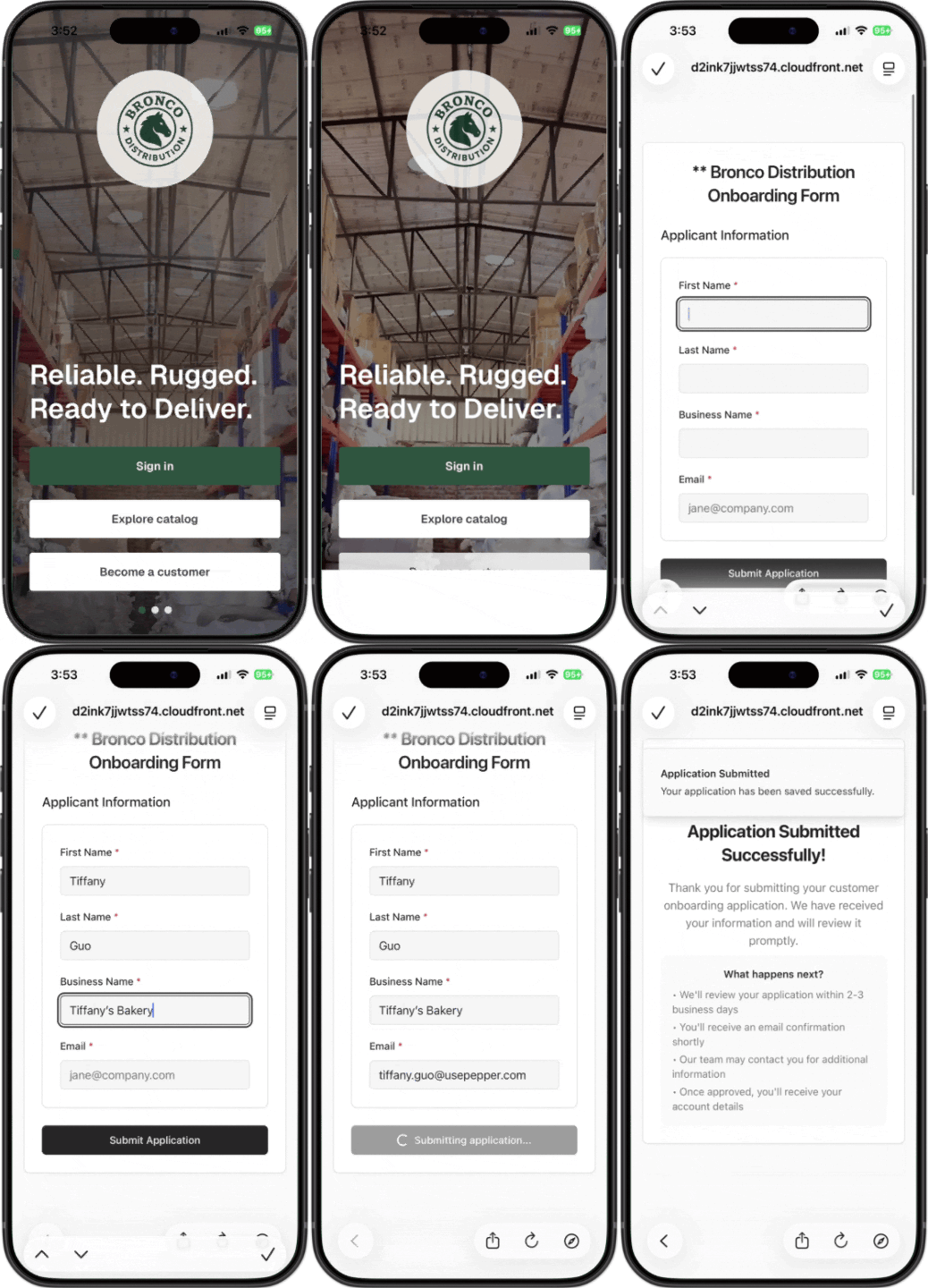
Picture this: A new buyer finds you in your ordering app and taps Become a Customer. Your credit application opens right there, on their phone or computer, with no login to create. The prospect who was curious a minute ago is now an applicant in your queue.
Alternatively, your sales rep might be out on the road getting a new prospect up and running. Reps can skip the trip back to the office by getting the prospect to download their app and apply right then - keeping momentum going and keeping everything digital.
Not every prospect needs to start in the app though. A rep can text the application link after a first visit, AR can email it with a welcome note, or it can live on your website. Pair it with a Pepper-built website, and buyers who find your catalog through search can apply in the same visit. If you operate several related businesses, they can all share one form, so each works from the same application.
Get it complete the first time
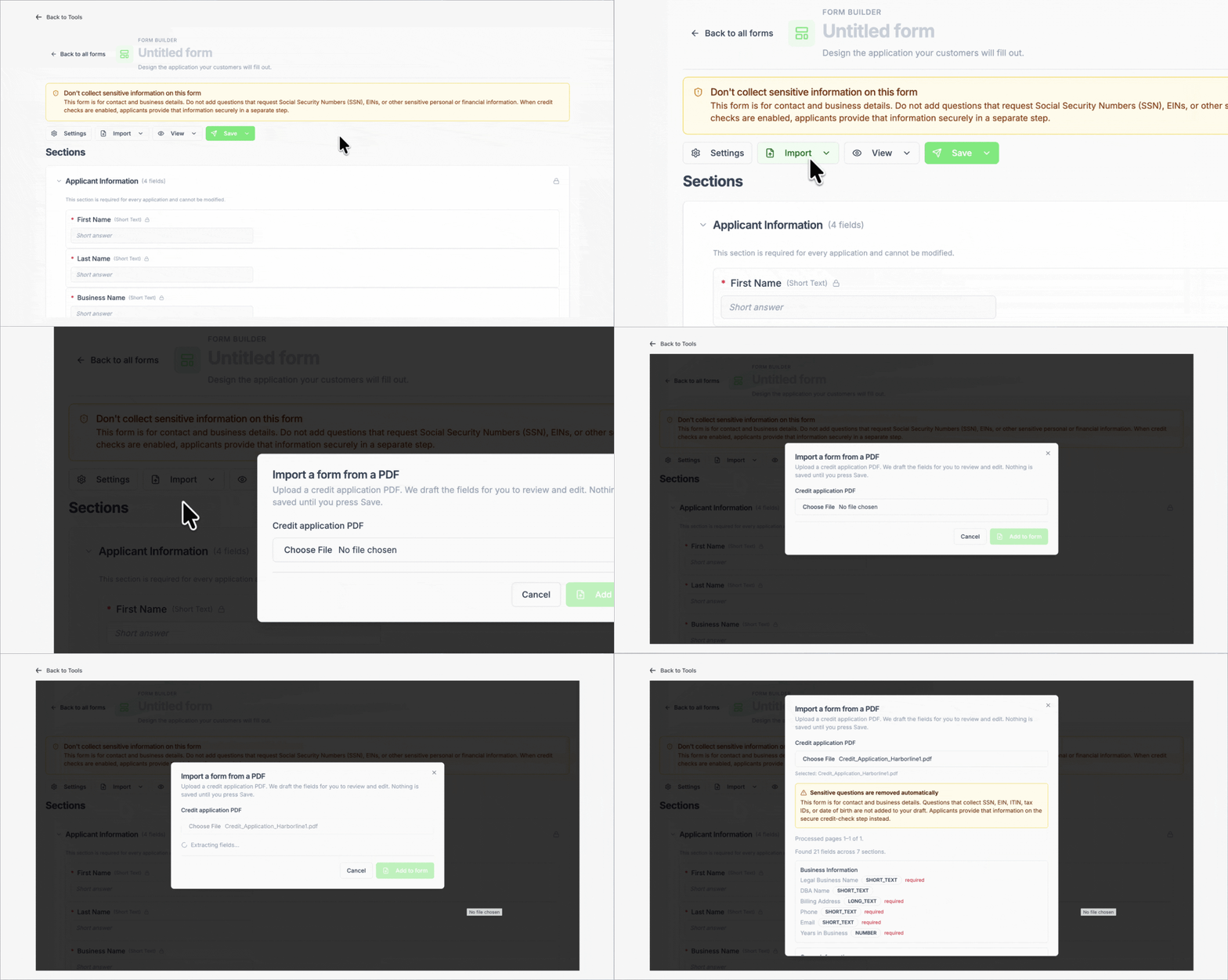
AR teams don't have to start from scratch - upload your current application as a PDF, and Pepper can read it and draft the form's sections and questions for you. Have several documents? Not a problem - other questions and fields can be uploaded from other CSV's and forms as well
From there, add or reorder fields and mark any field required, from business details to signatures, document uploads and bank verification. Applicants can't submit until the required pieces are in.
For documents like a W-9, resale certificate or financial statements, set the allowed file types and a size limit on each upload field. If a file doesn't fit, the applicant is told right away and can attach a corrected one. When you change the form and republish, Pepper keeps the previous version.
Review everything in one place
Your team gets an email the moment an application is filled out, with the applicant getting a confirmation as well. The Customer Applications dashboard shows what's pending, what's resolved and your total, plus how many credit checks you've run this month.
Open any application to see every answer grouped by section, with the submission time and the form it came from. Filter by status, and step through the queue with Prev and Next instead of opening files one at a time.
Optionally pull a report to make the call
Credit checks are optional and turned on per form, so you pull a report only when an account calls for one.
Send a credit check request with one click and choose a business check on the EIN or a personal check on the owner. To fill the check, your new applicant completes a separate, secure consent page, the report attaches to the application, and Pepper emails you when it's ready. The application keeps no more than the last four digits of an SSN or EIN.
Then decide. Approve, deny or run checks on one application or a whole batch, and let Pepper email the applicant the decision. Correct an applicant's details with every edit logged, and download applications to Excel when you need them somewhere else.
Why it matters: Getting New Customers Faster
Credit approval has usually lived in the back office, apart from how customers find you and order from you - introducing friction to the new customer acquisition funnel.
With applications in Pepper, a prospect finds you from your website, gets to your ordering platform, taps Become a Customer, and applies on the spot. Your AR team starts from a complete file with a credit report attached, not a list of follow-ups.
The credit check works for any applicant. A brand-new restaurant has no payment history with anyone, and often no business credit file yet. A personal report on the owner fills that gap, so you can set terms on day one instead of guessing.
Sensitive data stays out of your files, too. Full SSNs, ITINs and dates of birth go to the credit report and are never stored on the application.
The distributors who grow fastest make it easy for the right customers to say yes. Now the first step of every account runs on the same platform as ordering, payments and AR.
Getting started
Customer Applications is available now as part of Finance Hub. Pepper customers can ask their Customer Success Manager to turn it on, and the Credit Applications Help Article walks through setup.