September 1, 2026
August 2026
In this edition: Major additions to Storefront with Multi Cart, and enhanced in-app marketing tools with Landing Pages
Keep Several Orders Open Under One Account
A cart for every corner of the operation, all under one account
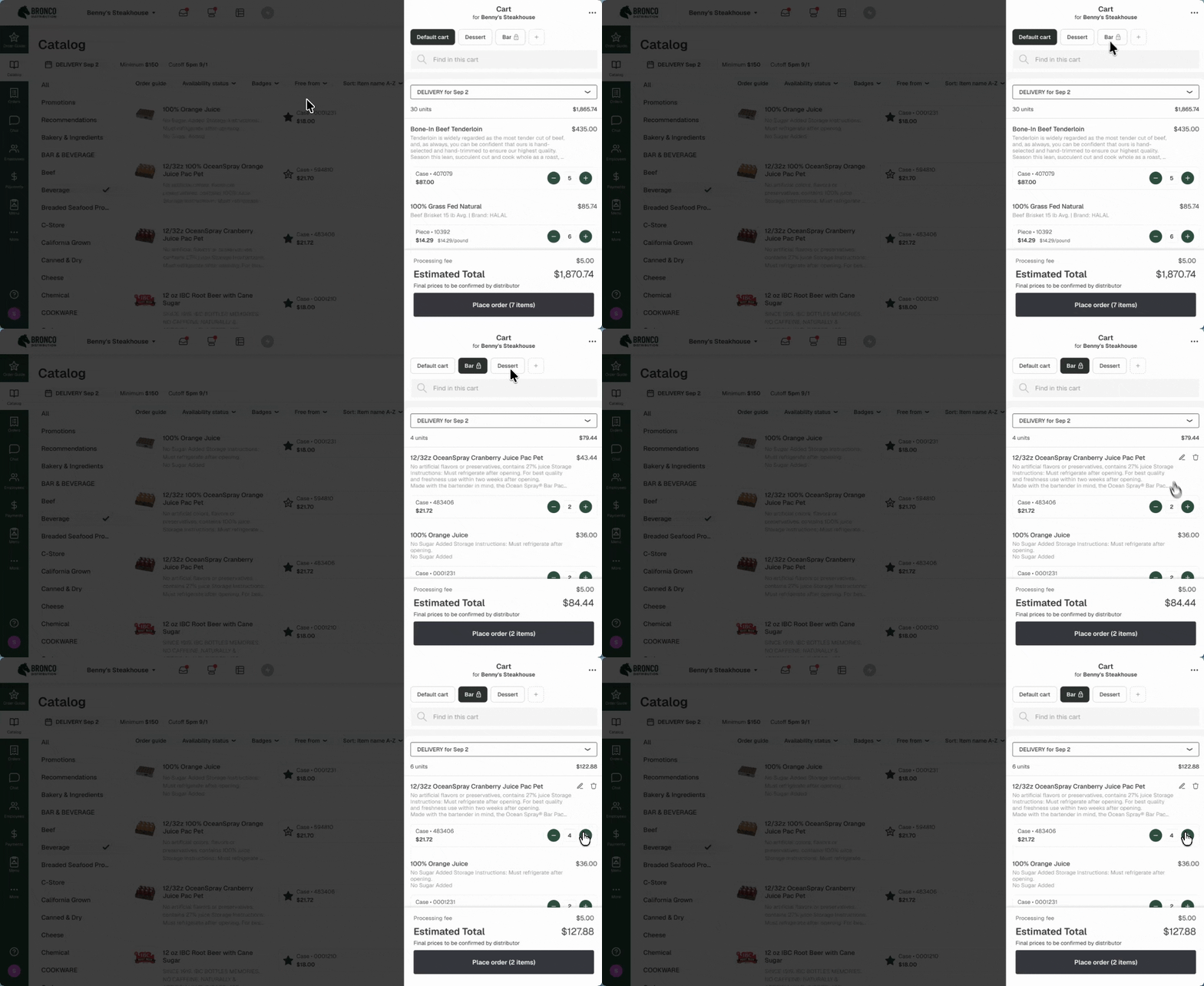
Some accounts run more than one operation, and now they can order like it. With Multiple Carts, an account can keep several carts going at once, each with its own name, fulfillment type, delivery date, and items - and send each one out on its own schedule.
Multi cart has so many practical uses:
- Multiple departments at an account can build orders at the same time, useful for large locations like hotels or schools. Each department gets its own cart under a single account, so you maintain one customer record instead of three, and your ops team stops untangling duplicate accounts every time a property adds an outlet.
- Everyone orders at the same time, and nobody waits their turn when the Back of house, front of house, and the GM each build their own cart instead of dumping everything into one order and hoping nothing gets buried.
- Multiple delivery days are easy to configure when an operator can hold Friday's bar order in one cart while tomorrow's kitchen order ships today. Every cart carries its own fulfillment setting and date, so advance orders, catering, and pickup stop competing for space in the same cart.
See the Multiple Carts help center article for the full walkthrough.
Availability
Multiple Carts is now generally available, you’ll notice your experience change the week of September 7. If the timing isn't right for you, opt out here!
In-App Customer Marketing with Landing Pages
Perfect your customer marketing and get your message in front of everyone.
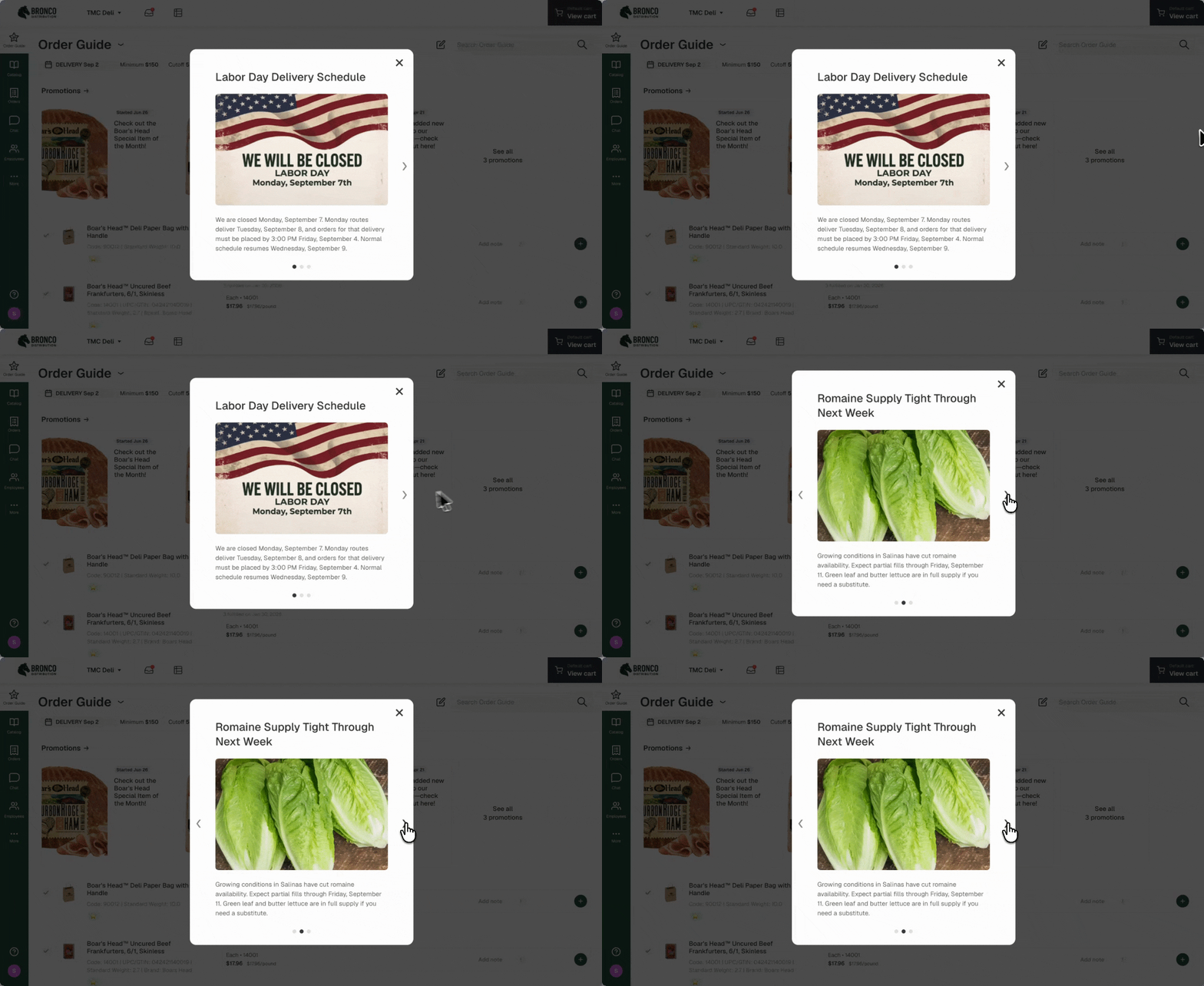
Put your newest items, your best pricing, and your most important notices in front of the customers who need to see them. A Landing Page is the first screen a customer sees when they open the app, before a single item goes in the cart.
- Built for the announcements that matter. Price changes, holiday cutoffs, a new catalog drop, a recall - the messages where "they probably saw it" isn't good enough.
- Targeted. Send to everyone or pick up to 100 restaurant groups, and set the display window yourself. Save as a draft, schedule it ahead, or publish it live.
- Shown once per customer. After a customer views or dismisses a page, it doesn't appear for them again, even while the date range is still open.
- Optional call to action. Add a button and a link, and tapping it opens a web view inside the app, so the customer returns to their order guide when they close it.
- Available without Sales Hub. Distributors with the right roles can reach Landing Pages in Storefront without a Sales Hub subscription through desktop.
Setup, targeting, and scheduling landing pages are covered in the Landing Pages help center article.
Availability
Landing Pages is available on all Storefront plans. Your admins and DSMs build and schedule pages from the Landing Pages tab in the Sales Rep Portal, or from the Storefront “More” menu if you're not on Sales Hub.
Set How Long a Price Edit Lasts
Run a limited-time deal without changing your override settings
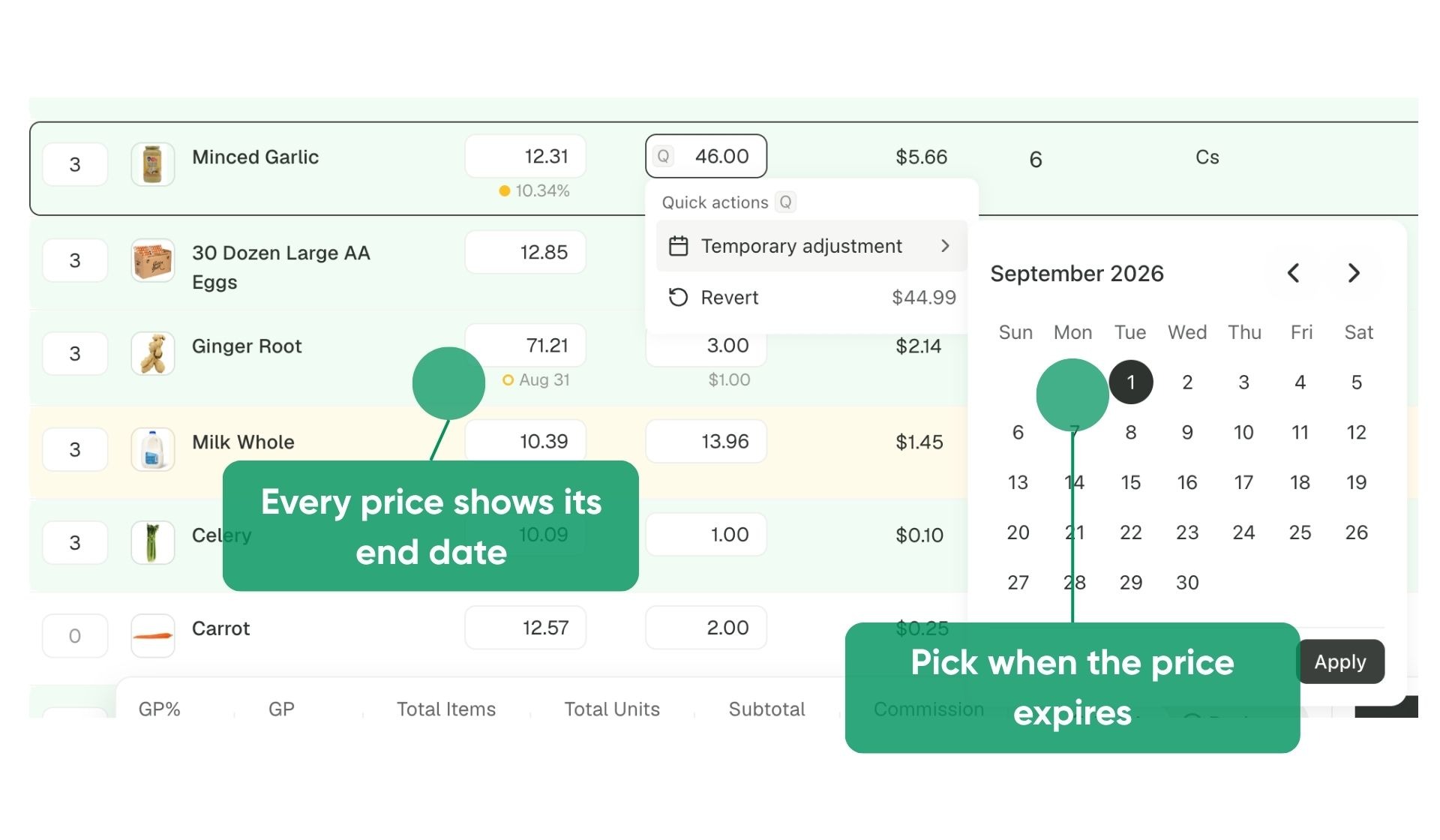
Reps can now set exactly how long a price holds. Two weeks, a month, through the end of the season - pick the date and the edit expires on its own, with nothing to clean up later.
Pick the end date from the order entry page and the edit expires on its own, carrying that date wherever the price appears so anyone looking at the account can see it's temporary.
Availability
Available on the Order Entry page for Sales Hub customers. Contact your Pepper account team to turn on custom price edit durations
Turn an Order Guide Into a Price Quote
Quote from what a customer already buys
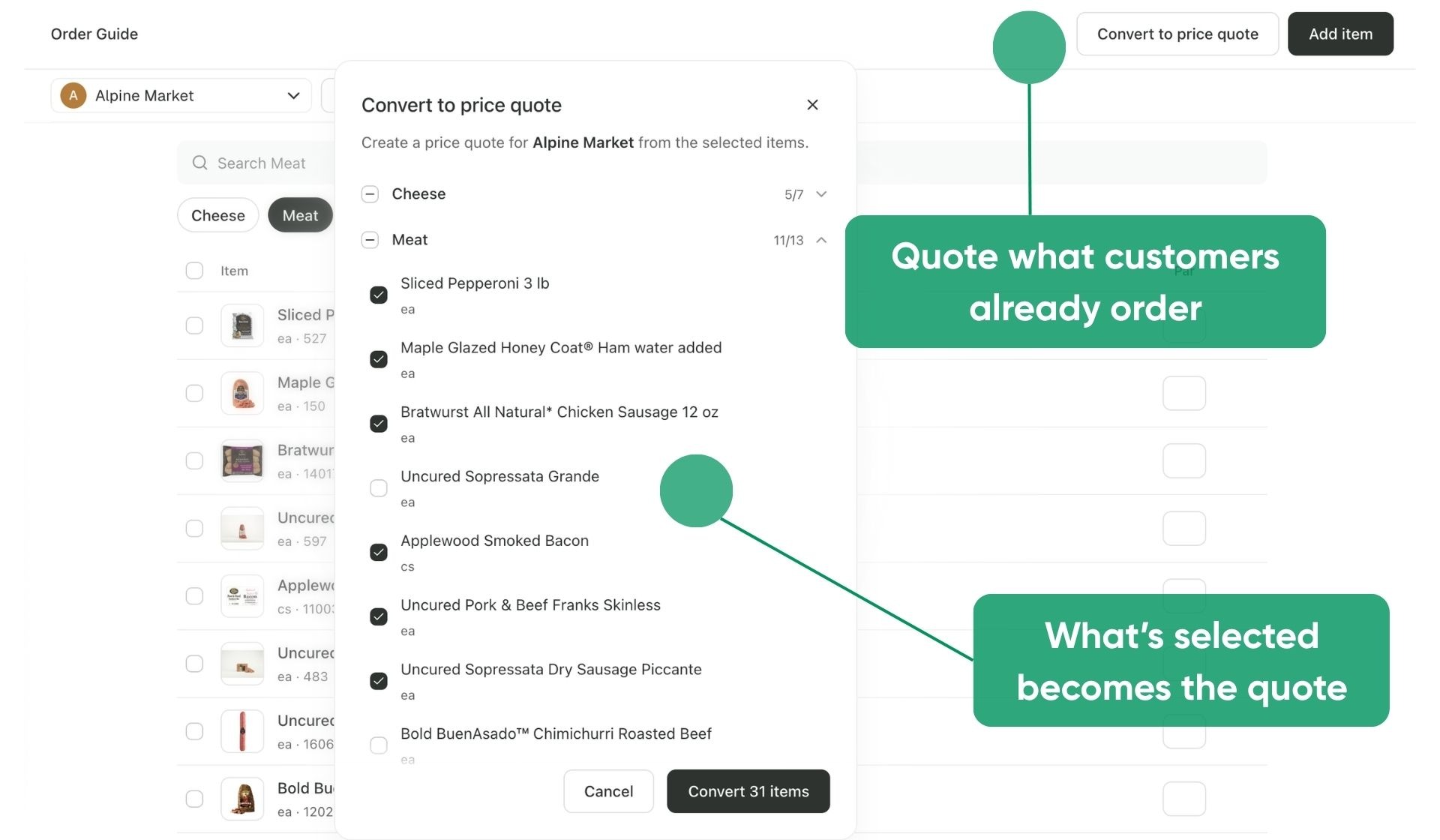
The Order guides tab in Sales Portal now has a Convert to price quote option. Pick the customer and the order guide, and every item comes over selected by default. Deselect a whole group or individual items, and the rest becomes a quote.
Availability
Available by default to Storefront customers with Sales Hub enabled.
Autopay Forecasting
Sanity check the run, export it, then hand it to AR
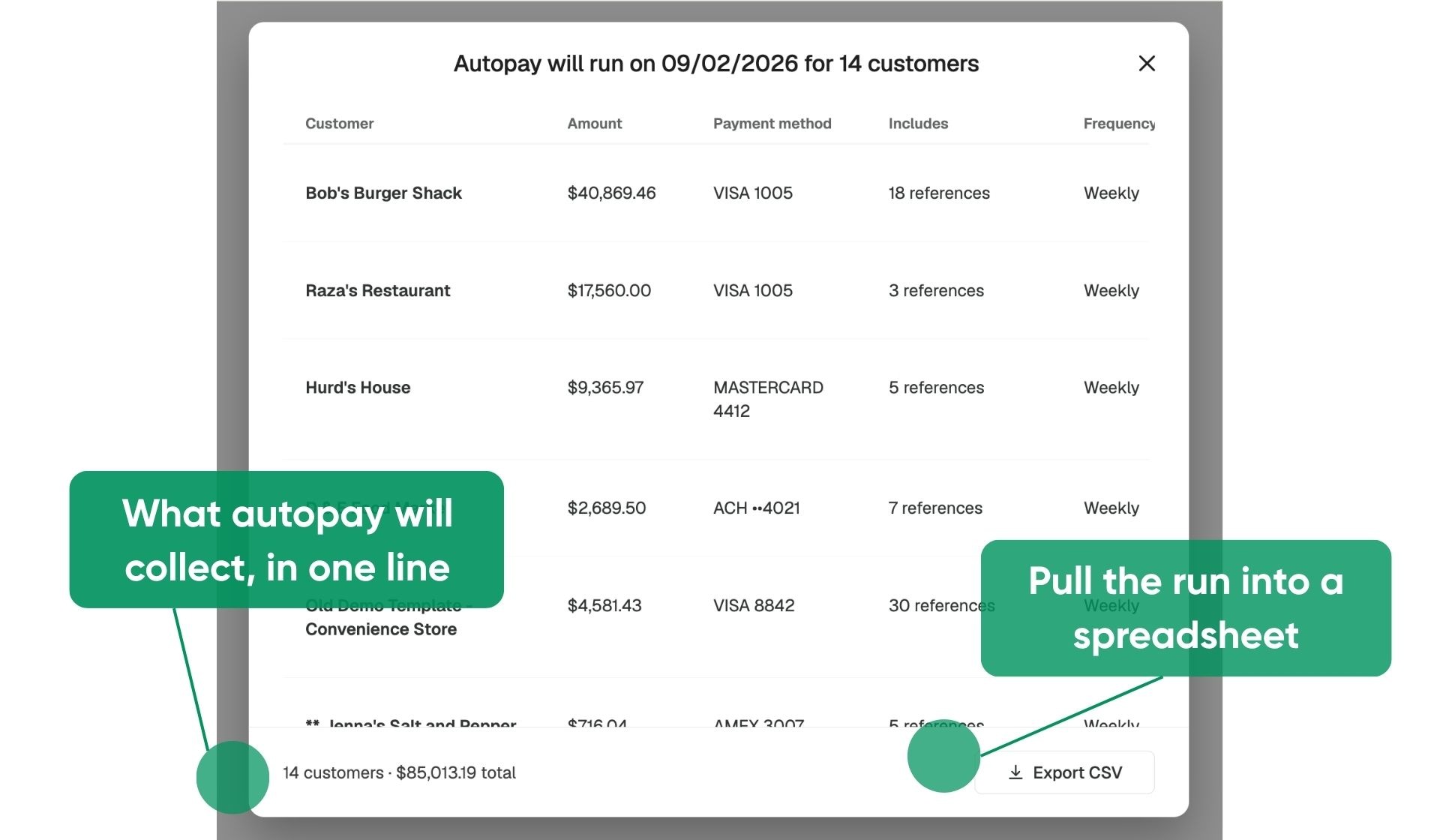
The upcoming run preview now has a footer pinned to the bottom that stays in place as you scroll, showing how many customers are in the run and the total amount expected to be collected. An Export CSV button in that footer downloads the full preview, with Customer, Amount, Payment method, Number of invoices, and Frequency on every line.
The preview table also shows each customer's default payment method, so the exact card or bank account being charged is visible before the run and included in the export.
Availability
Available to Finance Hub customers with autopay enabled.
Image Support for ERP-Sourced Promotions
Promotions from your ERP can look like the rest of your merchandising
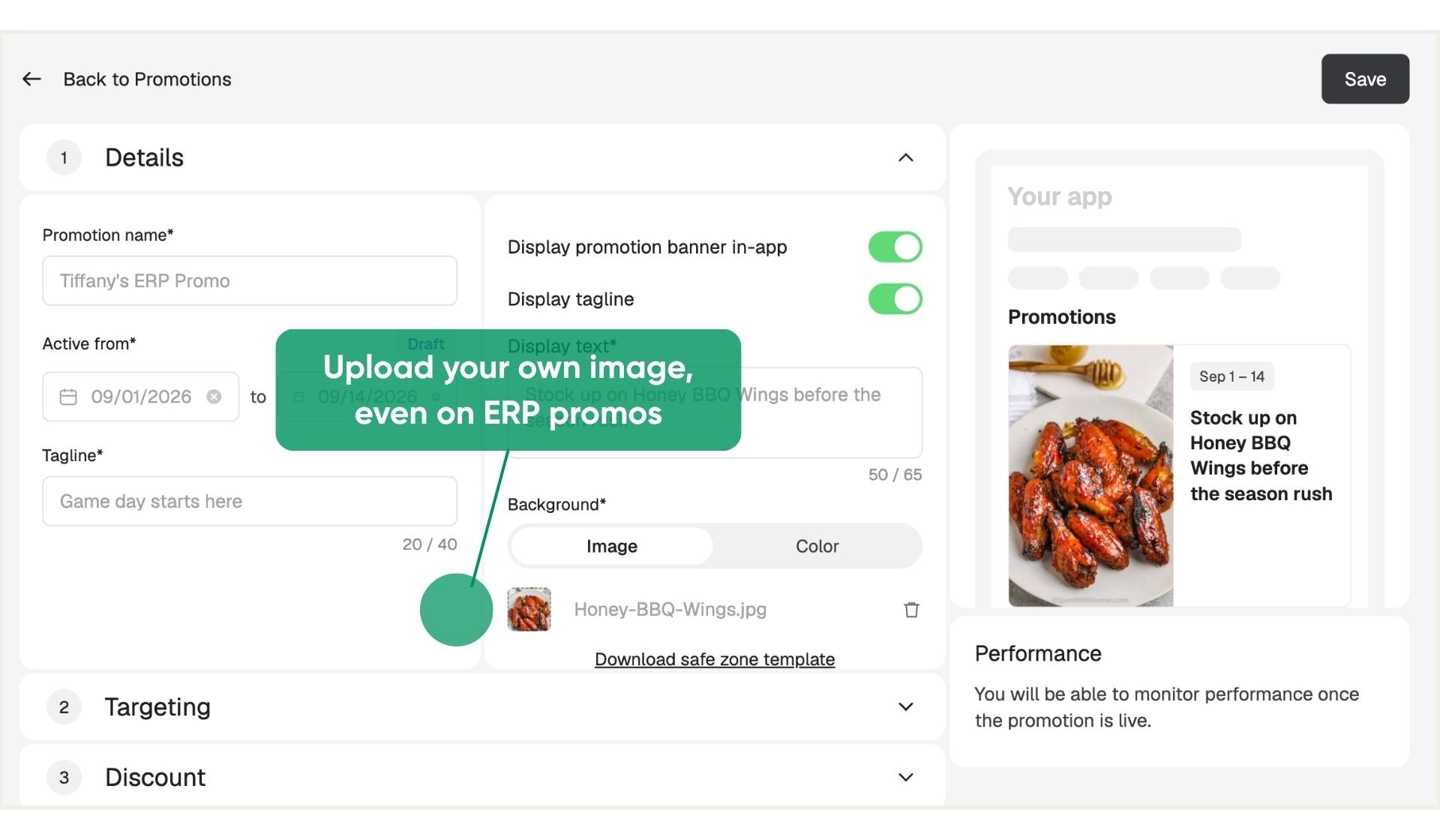
Promotions created through an ERP integration couldn't carry an image, because Pepper doesn't overwrite data that comes through the integration and images can't be specified on the ERP side. The Background section on a promotion's details page in PMC is now editable for every promotion, ERP-sourced included, so a promotion can lead with a photo instead of a color.
Availability
Live for all Storefront customers. No configuration needed.
Reach Content Hub From PMC
A direct route to your product content
A link on the Catalog tab in PMC now opens Content Hub for the account you're signed into. Customers without Sales Hub get a clean path to the tools for matching, editing, and generating images for their catalog.
Availability
Live for all Storefront customers.